You may also like:
- Advanced Prompt Techniques
- How to Refine AI Outputs Through Conversation
- The Role-Task-Context Framework (With 15 Examples)
Most people get poor results from AI because they don’t know how to ask the right questions.
This tool helps you build a clear, structured prompt so ChatGPT or Claude gives you better answers — faster.
- No tech skills.
- No guesswork.
- No API keys needed.

Why Most Affiliate Marketers Struggle with AI Tools
You’ve probably heard the buzz about ChatGPT and Claude AI.
Everyone’s talking about how these tools can write product reviews, create email sequences, and generate content in seconds.
So you tried it yourself.
You opened ChatGPT. You typed something like: “Write a product review.”
And what did you get?
- Generic fluff.
- Vague statements.
- Content that sounds like every other AI-generated article on the internet.
You thought: “This isn’t helpful at all.”
Here’s the truth: The problem wasn’t the AI. The problem was the prompt.
AI tools are incredibly powerful.
But they’re only as good as the instructions you give them.
Think of it like hiring a freelance writer.
If you tell them “write something about fitness,” you’ll get mediocre work.
But if you give them a detailed brief with target audience, tone, key points, and format — you’ll get something amazing.
AI works the same way.
That’s exactly why I created this free AI Prompt Builder.

What Makes a Good AI Prompt?
Before we dive into the tool, let’s understand what separates weak prompts from powerful ones.
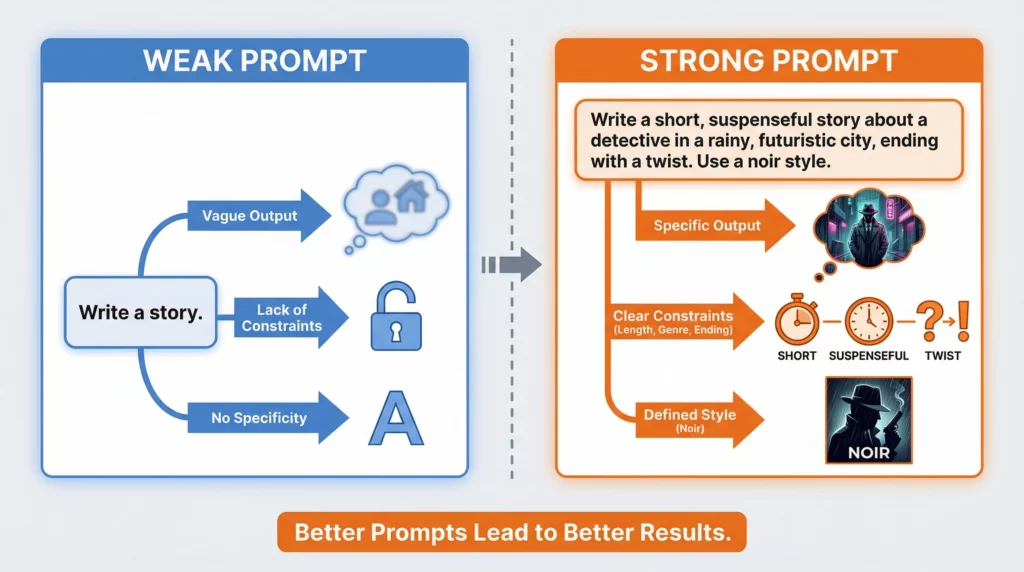
The Anatomy of a Weak Prompt
Here’s what most beginners type:
“Write a blog post about affiliate marketing.”
That’s it. Nothing else.
The AI has no idea:
- Who you’re writing for
- What angle to take
- How long it should be
- What tone to use
- What specific aspect of affiliate marketing to cover
So it gives you something generic and unhelpful.
The Anatomy of a Strong Prompt
Now look at this:
“You are an experienced affiliate marketer who specializes in the health and wellness niche.
Write a 1,000-word blog post explaining the 5 biggest mistakes beginners make when choosing their first affiliate products.
The target audience is people who just started their affiliate marketing journey in the last 3 months.
Use a friendly, encouraging tone. Include practical examples and actionable tips they can implement today.
Format the post with clear headings and bullet points for easy scanning.”
See the difference?
The second prompt gives the AI:
- Role: Experienced affiliate marketer in health/wellness
- Task: Explain 5 biggest mistakes
- Context: Choosing first affiliate products
- Audience: Complete beginners (under 3 months)
- Format: 1,000 words, headings, bullet points
- Tone: Friendly and encouraging
- Constraints: Include practical examples and actionable tips
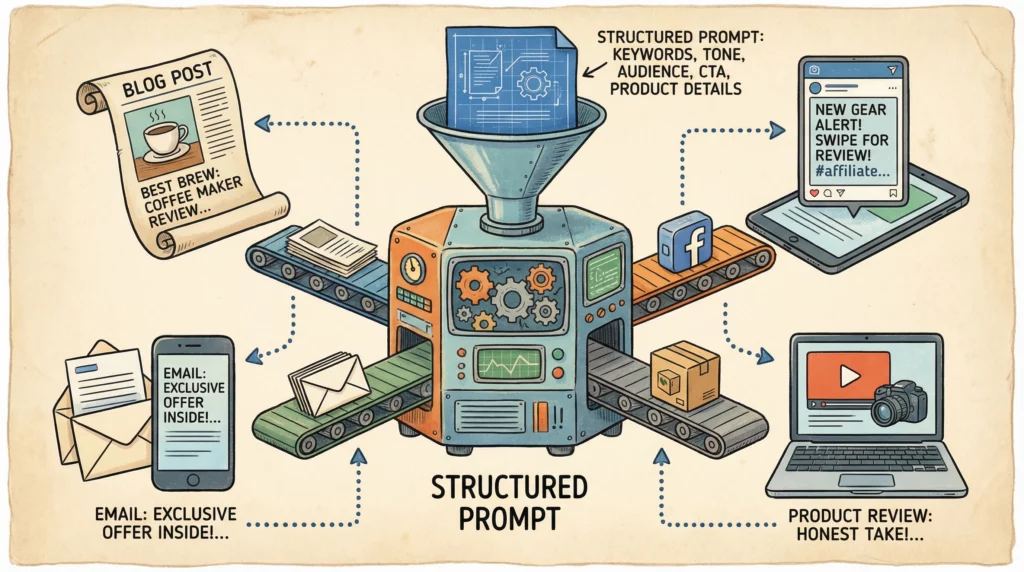
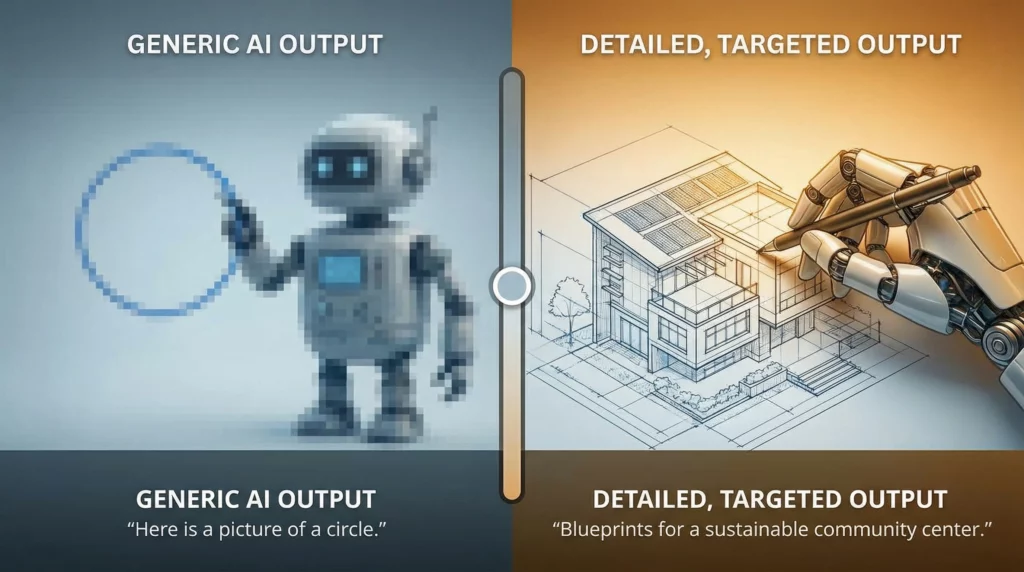
This structured approach is what gets you useful, targeted results.
Introducing the AI Prompt Builder
Most people don’t naturally know how to structure prompts like this.
It takes practice. It takes trial and error. It takes time.
That’s where the Prompt Builder comes in.
Instead of staring at a blank screen wondering what to type, you simply fill in a few fields.
The tool then generates a well-structured prompt you can copy and paste directly into ChatGPT or Claude AI.
- No guesswork.
- No confusion.
- No wasted time.
Who Is This Tool For?
This tool is perfect for you if:
- You’re running an affiliate marketing business
- You want to use AI to speed up content creation
- You’ve tried ChatGPT or Claude but got disappointing results
- You don’t have time to learn prompt engineering
- You want consistently better AI outputs without the learning curve
Whether you’re creating product reviews, email campaigns, social media posts, or landing page copy — this tool will help you get better results from AI.
How the AI Prompt Builder Works
Using the tool is incredibly simple.
Even if you’ve never used ChatGPT or Claude AI before, you’ll understand this in under 2 minutes.
Step 1: Choose the AI’s Role
First, decide what role you want the AI to play.
Think of this as defining the AI’s expertise.
Examples:
- Affiliate marketer specializing in tech products
- SEO copywriter with 10 years of experience
- Email marketing specialist for e-commerce
- Content strategist focused on conversion optimization
The more specific the role, the more targeted the output.
Step 2: Describe Your Task
This is what you want the AI to actually do.
Be clear and specific.
Weak task: “Write something about cameras.”
Strong task: “Write a comparison article between the Canon EOS R6 and Sony A7 IV for beginner photographers who want to start a YouTube channel.”
See how the second one gives the AI a clear direction?
Step 3: Add Context (Optional but Powerful)
Context helps the AI understand the bigger picture.
This might include:
- Why you need this content
- What stage of the customer journey you’re targeting
- Background information about your niche
- Specific problems you’re trying to solve
Example: “I’m creating this content for my affiliate site about photography gear. Most of my readers are hobbyists who are considering upgrading from their smartphone.”
Step 4: Define Your Audience
Who will read this content?
The more specific you are, the better.
Instead of: “General audience”
Try: “Busy parents in their 30s-40s who want to lose weight but have limited time for exercise and meal prep.”
When AI knows exactly who it’s writing for, it can adjust language, examples, and recommendations accordingly.
Step 5: Specify the Format
How do you want the information presented?
Common formats for affiliate marketers:
- Blog post (specify word count)
- Email sequence (specify number of emails)
- Product comparison table
- Social media captions
- Video script
- Listicle (5 ways to…, 10 best…)
- Step-by-step tutorial
Be specific about length, structure, and any required elements.
Step 6: Set the Tone & Style
Tone matters more than most people realize.
The same information delivered in different tones creates completely different impressions.
Tone options:
- Professional and authoritative
- Friendly and conversational
- Enthusiastic and motivational
- Educational and informative
- Casual and humorous
Choose the tone that matches your brand and resonates with your audience.
Step 7: Add Constraints (Optional)
Constraints are specific requirements or limitations.
Examples:
- “Avoid technical jargon”
- “Include at least 3 specific product examples”
- “Focus on solutions under $100”
- “Write for an 8th-grade reading level”
- “Include statistics and data when possible”
Constraints help ensure the AI doesn’t go off-track.
Step 8: Generate Your Prompt
Once you’ve filled in the fields (at minimum, role and task), click the “Generate Prompt” button.
The tool instantly creates a structured, professional prompt.
You can copy it as-is or make small tweaks based on your specific needs.
Step 9: Use It with ChatGPT or Claude AI
Now comes the fun part.
Open ChatGPT (free or paid version) or Claude AI in a new tab.
Paste your generated prompt into the chat box.
Press Enter.
Watch as the AI delivers a much more targeted, useful response than you’ve ever gotten before.

Real Examples: Before and After
Let’s look at two real scenarios that affiliate marketers face.
Example 1: Product Review
Before (Weak Prompt): “Write a review of Blue Yeti microphone.”
AI Output: Generic, could apply to any microphone, no specific use cases, reads like every other review online.
After (Using Prompt Builder):
“You are a tech affiliate marketer who specializes in home recording equipment.
Write a detailed 800-word product review of the Blue Yeti USB microphone.
Your target audience is beginner podcasters who are setting up their first home studio on a budget under $500.
Use an honest, balanced tone that highlights both strengths and limitations.
Include specific use cases (podcasting, streaming, voiceovers), sound quality analysis, and practical setup tips.
Compare it briefly to the Audio-Technica ATR2100x as an alternative.
Format the review with clear headings and include a verdict section at the end.”
AI Output: Specific, detailed, addresses exact audience concerns, includes comparisons, balanced perspective, actionable information.
The difference? Night and day.
Example 2: Email Sequence
Before (Weak Prompt): “Write emails for my affiliate product.”
AI Output: Vague, pushy sales copy, no clear sequence or strategy.
After (Using Prompt Builder):
“You are an email marketing specialist for affiliate marketers in the personal finance niche.
Create a 5-email welcome sequence for new subscribers who downloaded my free budget template.
The audience is millennials struggling with credit card debt.
The goal is to build trust and eventually promote a personal finance course (affiliate product).
Use a warm, empathetic tone that acknowledges their struggles without judgment.
Each email should be 250-300 words.
Include clear subject lines, one main idea per email, and natural product mentions without hard selling. Email structure:
1) Welcome + deliver template,
2) Quick win tip,
3) Common mistake to avoid,
4) Success story,
5) Course introduction with soft CTA.”
AI Output: Strategic sequence, proper pacing, builds relationship before selling, specific and implementable.
This is what structured prompts can do for your affiliate marketing business.
Tips for Getting Even Better Results
The Prompt Builder gives you a strong foundation.
But here are some extra tips to maximize your results:
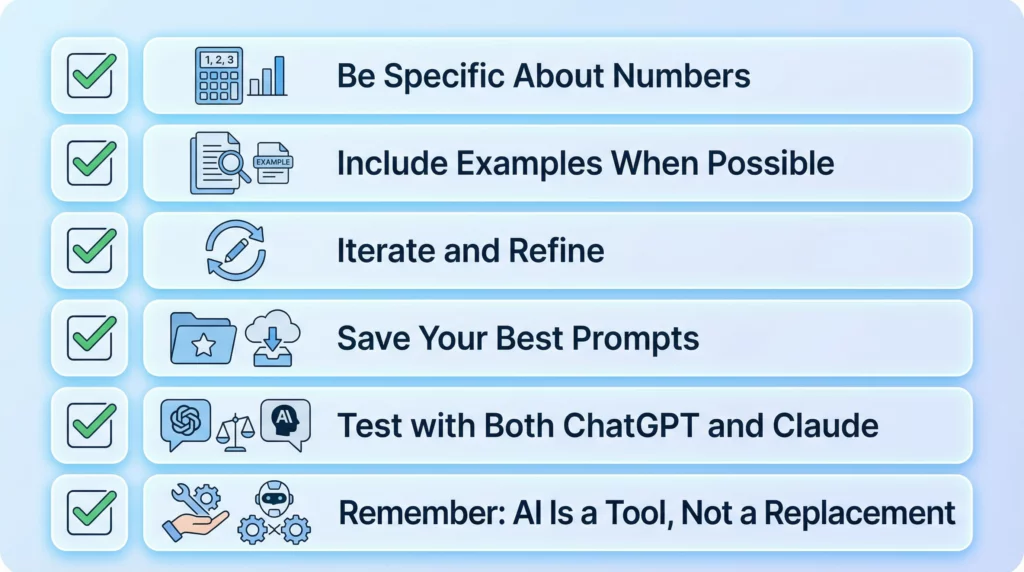
1. Be Specific About Numbers
Instead of: “Write a long article”
Try: “Write a 1,500-word article”
Specific numbers help AI understand exactly what you need.
2. Include Examples When Possible
If you have a particular style in mind, mention it.
“Write in a conversational style similar to Tim Ferriss” or “Use short punchy sentences like Hemingway.”
References help AI understand your vision.
3. Iterate and Refine
AI rarely nails it perfectly on the first try.
That’s normal.
If the first output is 80% right, tell the AI what to adjust:
- “Make the tone more professional”
- “Add more specific examples”
- “Shorten the introduction”
This back-and-forth is called iteration. It’s how professionals use AI.
4. Save Your Best Prompts
When you create a prompt that gives great results, save it.
Build a personal library of proven prompts.
You can reuse and adapt them for similar projects later.
This saves time and ensures consistency.
5. Test with Both ChatGPT and Claude
Different AI models have different strengths.
ChatGPT is great for creative content and conversational writing.
Claude excels at analysis, structured thinking, and following complex instructions.
Try the same prompt in both and see which output you prefer.
6. Remember: AI Is a Tool, Not a Replacement
Use AI to speed up your process, not replace your expertise.
Always review and edit AI output.
Add your personal insights, experiences, and brand voice.
The best content combines AI efficiency with human authenticity.
Common Mistakes to Avoid
As you start using the Prompt Builder and working with AI, watch out for these pitfalls:
Mistake 1: Being Too Vague
Even with the builder, you need to provide enough detail.
“Write about fitness” isn’t enough.
“Write about home workouts for busy professionals” is better.
Mistake 2: Expecting Perfection Immediately
AI outputs are starting points, not finished products.
Plan to edit, refine, and personalize the content.
Mistake 3: Ignoring Your Audience
The more you understand your audience, the better your prompts become.
Always define who you’re creating content for.
Mistake 4: Forgetting About Brand Voice
AI can write in many styles, but it needs direction.
Make sure the tone aligns with your brand.
Mistake 5: Not Fact-Checking
AI sometimes makes mistakes or provides outdated information.
Always verify facts, statistics, and product details before publishing.
This is especially important for affiliate marketers making product recommendations.
How to Use Your Generated Prompt
Once you’ve created your prompt with the builder, here’s the process:
For ChatGPT Users:
- Go to chat.openai.com (or open the app)
- Start a new chat
- Paste your generated prompt
- Press Enter
- Review the output
- If needed, ask follow-up questions to refine
- Copy the final result
For Claude AI Users:
- Go to claude.ai (or open the app)
- Start a new conversation
- Paste your generated prompt
- Press Enter
- Review the output
- Request adjustments if needed
- Copy the final result
Both tools work on the free tier, though paid versions offer more features and faster responses.
The prompts you create with this builder work equally well on both platforms.

Beyond Basic Prompts: Advanced Use Cases
Once you’re comfortable with basic prompts, here are some advanced ways affiliate marketers use AI:
Content Repurposing
Use AI to transform one piece of content into multiple formats.
Example: Turn a blog post into social media posts, email content, and video scripts.
Competitor Analysis
Ask AI to analyze competitor content and identify gaps you can fill.
Buyer Persona Development
Use AI to help flesh out detailed buyer personas for your niche.
Content Calendar Planning
Generate topic ideas and plan your content strategy for the next quarter.
A/B Test Variations
Create multiple versions of headlines, CTAs, or email subject lines to test.
The Prompt Builder helps you structure all these requests for better results.
Important Disclaimer
This AI Prompt Builder is a free tool designed to help you create better prompts.
It does not connect directly to ChatGPT or Claude AI.
You’ll need to copy the generated prompt and paste it into your preferred AI platform.
No API keys required. No data stored. No account needed.
It’s a simple, practical tool to make your life easier.
Think of it as a template generator — it helps you structure your requests properly so AI can give you better answers.
Start Building Better Prompts Today
AI tools like ChatGPT and Claude AI have incredible potential for affiliate marketers.
They can save you hours of work every week.
But only if you know how to use them properly.
The difference between mediocre results and amazing results comes down to one thing: how well you structure your prompts.
This free Prompt Builder removes the guesswork.
No more staring at a blank screen wondering what to type.
No more generic, unhelpful AI outputs.
Just clear, structured prompts that get you the results you need.
Whether you’re writing product reviews, creating email sequences, brainstorming content ideas, or developing marketing strategies — better prompts lead to better outcomes.
Ready to transform how you use AI in your affiliate marketing business?
Try the AI Prompt Builder now and see the difference structured prompts can make.
Frequently Asked Questions
Do I need a paid ChatGPT or Claude account?
No. The prompts work with free versions of both platforms. Paid versions offer faster responses and additional features, but they’re not required.
Can I use these prompts with other AI tools?
Yes! While designed for ChatGPT and Claude, these structured prompts work well with most AI chat tools.
How long does it take to generate a prompt?
Less than 2 minutes. Fill in a few fields, click generate, and you’re done.
Will this work for niches outside affiliate marketing?
Absolutely. While created with affiliate marketers in mind, the prompt structure works for any industry or use case.
Do I need any technical skills?
None. If you can fill out a web form, you can use this tool.
Is my information stored or shared?
No. The tool generates prompts in your browser. Nothing is stored or transmitted.
What if I’m not happy with the AI’s output?
Use the prompt as a starting point and refine it through conversation with the AI. Most great results come from iteration, not the first try.
The era of AI is here.
The question isn’t whether you’ll use these tools.
It’s whether you’ll use them effectively.
Start building better prompts today.