You may also like:
- Negative Prompting: What NOT to Include (And Why It Matters)
- How to Refine AI Content
- AI Prompt Builder
You’re deep into a conversation with AI.
You’ve shared your brand voice. Your target audience. Your product details.
Then 20 messages later, AI starts giving you generic answers.
It forgets what you told it earlier.
You get frustrated. You wonder if AI is broken.
It’s not broken.
It hit its context window.
Understanding this one concept will change how you work with AI completely.
No more frustrating resets. No more lost context. No more starting over from scratch.
Let’s break it down.
What Is a Context Window?
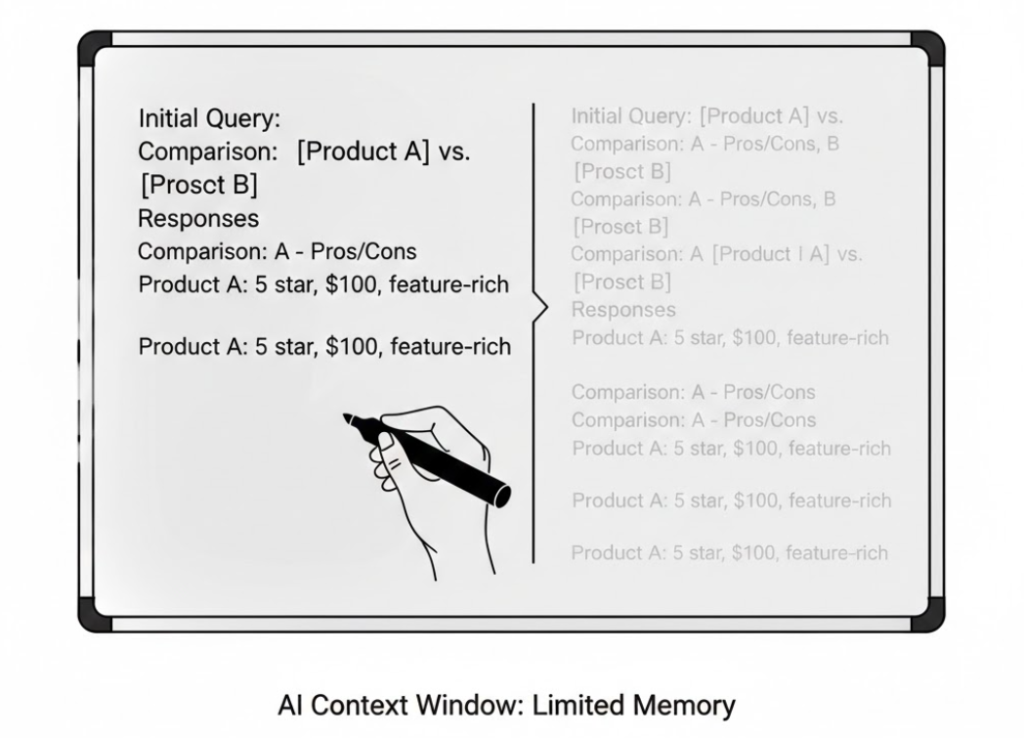
Think of a context window like a whiteboard.
Every conversation with AI happens on that whiteboard.
Your messages go on it. AI’s responses go on it. Everything you share goes on it.
The problem? The whiteboard has a fixed size.
When it fills up, something has to be erased.
Usually the oldest stuff. The stuff you wrote first.
That’s the context window. It’s the total amount of text AI can “see” and work with at any given moment.
Once content scrolls off the edge of that window, AI can’t access it anymore.
It’s not stored somewhere. It’s not retrievable. It’s just gone from AI’s perspective.
How Context Windows Are Measured
Context windows are measured in tokens.
Not words. Tokens.
Here’s the simple explanation.
A token is roughly 0.75 words in English.
So 1,000 tokens ≈ 750 words. 4,000 tokens ≈ 3,000 words. 100,000 tokens ≈ 75,000 words.
Why tokens instead of words?
Because AI breaks language into chunks, not full words. “Running” might be one token. “Unbelievable” might be two. Short common words are usually one token each.
For practical purposes, think of tokens as words and you’ll be fine.
Why this matters:
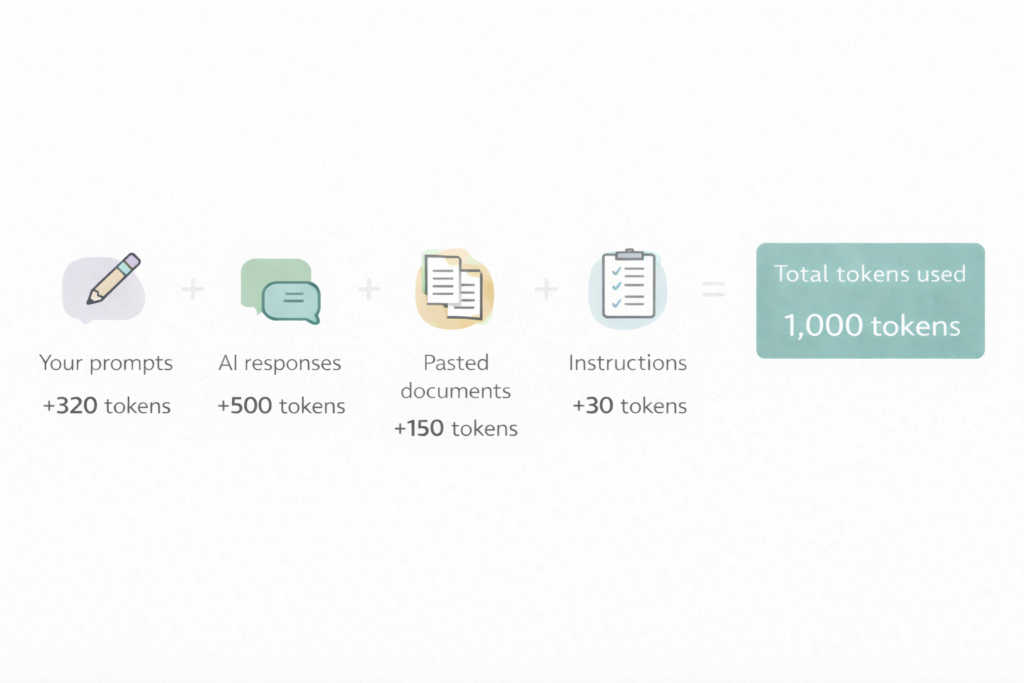
Everything in your conversation counts toward the limit.
- Your prompts.
- AI’s responses.
- Any documents you paste in.
- Instructions you gave at the start.
- …All of it.
The context window tracks the total, not just your messages.
Context Window Sizes: What You’re Actually Working With
Different AI models have different context window sizes.
Here’s a practical overview.
Smaller context windows (4K–8K tokens): Roughly 3,000–6,000 words total. You’ll hit the limit in a moderate conversation. Common in older models.
Medium context windows (32K–128K tokens): Roughly 24,000–96,000 words. Enough for most affiliate marketing tasks including long documents and extended workflows.
Large context windows (200K+ tokens): Roughly 150,000+ words. You can paste entire ebooks, lengthy research documents, and have long extended conversations without hitting the limit.
Current flagship models like Claude and GPT-4 offer large context windows that handle most real-world affiliate marketing workflows comfortably.
But large doesn’t mean unlimited.
And even within a large window, there’s another problem.
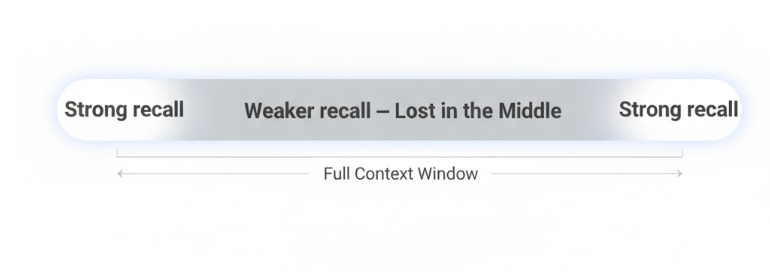
The “Lost in the Middle” effect.
Research shows AI doesn’t pay equal attention to everything in its context window.
It remembers the beginning well. It remembers the end well. But information buried in the middle? It gets less attention.
This means how you structure information inside the context window matters as much as the size of the window itself.
What Actually Happens When You Hit the Limit
Here’s what most people experience without understanding why.
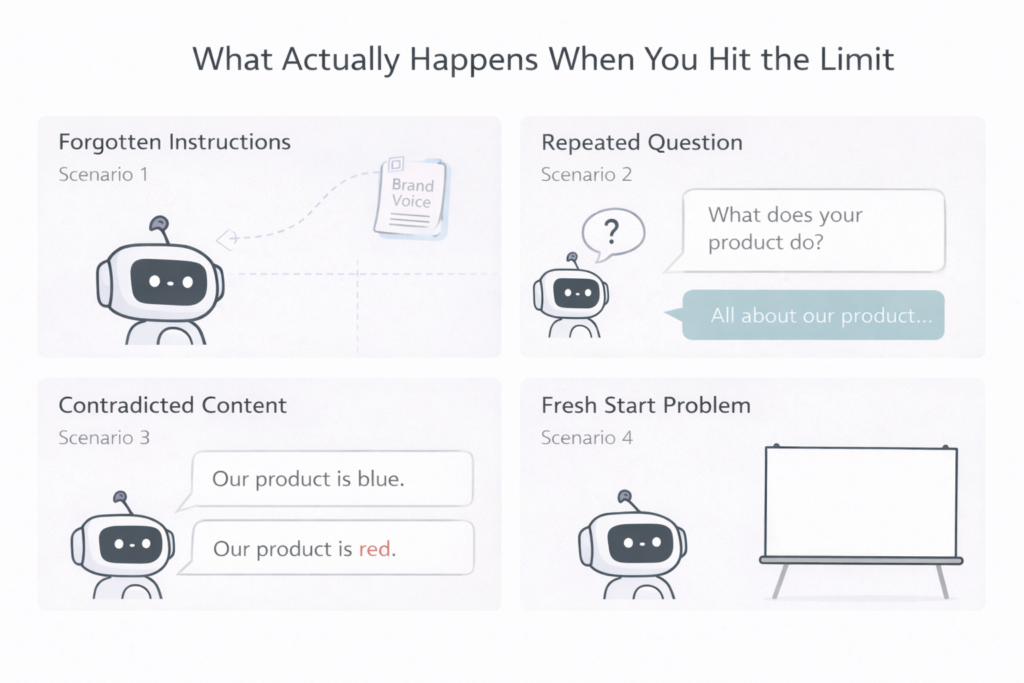
Scenario 1: The Forgotten Instructions
You paste your brand voice guidelines at the start of a long session.
Fifty messages later, AI’s writing sounds completely generic.
Why? Your brand voice instructions scrolled out of the context window. AI literally can’t see them anymore.
Scenario 2: The Repeated Question
You explained your product in detail at the beginning of the conversation.
Later, AI asks you to clarify what your product does.
Why? The product explanation is gone from the window. AI has no memory of it.
Scenario 3: The Contradicted Content
AI writes something in message 40 that contradicts what it said in message 5.
Why? Message 5 no longer exists in the window. AI can’t reference its own earlier output.
Scenario 4: The Fresh Start Problem
You start a brand new chat session.
AI has zero context. Everything from your last conversation is gone.
Why?
Context windows don’t persist between sessions. Each new chat starts with a completely empty whiteboard.
The Context Window vs. Memory: Key Difference
A lot of people confuse context window with memory.
They’re not the same thing.
Context window = what AI can currently see in this conversation
Memory = saved information that persists between conversations
Most AI tools have a context window. Not all have memory features.
When a tool advertises “memory,” it’s usually storing key facts from past conversations and injecting them back into the context window of future conversations.
It’s a workaround, not a different technology.
The context window is still the fundamental limit. Memory features just help you fill it more intelligently.
Why this matters for your workflow:
Don’t rely on AI to remember things between sessions.
If you want consistency across conversations, you need a system for reinserting context. More on that shortly.
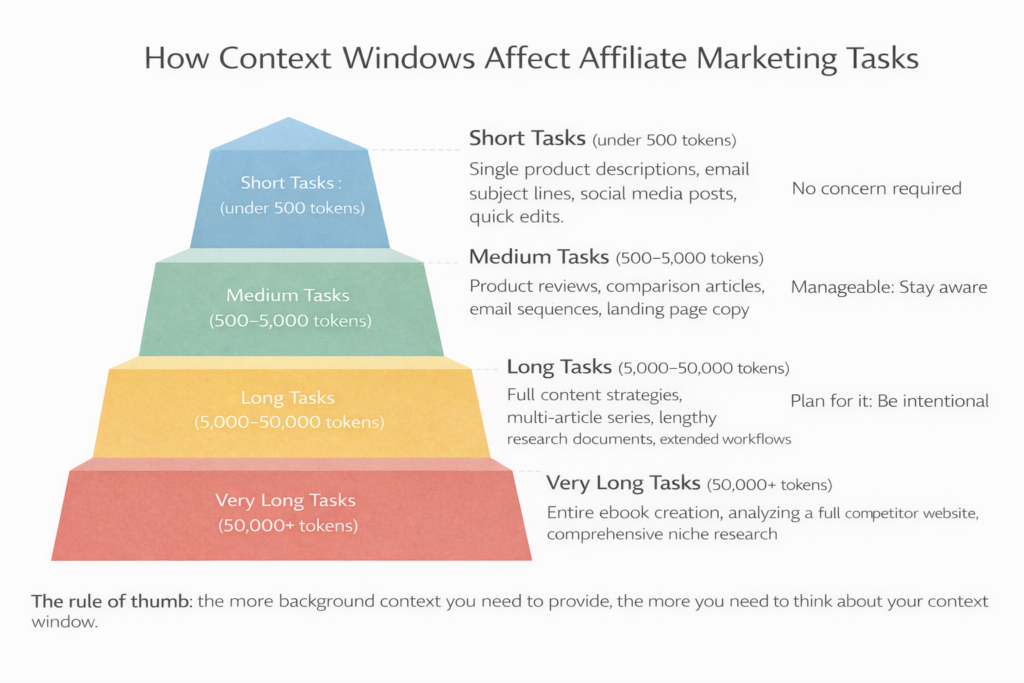
How Context Windows Affect Affiliate Marketing Tasks
Let’s make this concrete.
Short tasks (under 500 tokens): Single product descriptions, email subject lines, social media posts, quick edits.
Context window: Not a concern. You’ll never get close to the limit.
Medium tasks (500–5,000 tokens): Product reviews, comparison articles, email sequences, landing page copy.
Context window: Manageable. Stay aware of how much background info you’ve pasted in.
Long tasks (5,000–50,000 tokens): Full content strategies, multi-article series, lengthy research documents, extended workflows.
Context window: Actively plan for it. Structure your information intentionally.
Very long tasks (50,000+ tokens): Entire ebook creation, analyzing a full competitor website, comprehensive niche research.
Context window: Choose a high-capacity model deliberately. Break work into chunked sessions.
The rule of thumb: the more background context you need to provide, the more you need to think about your context window.
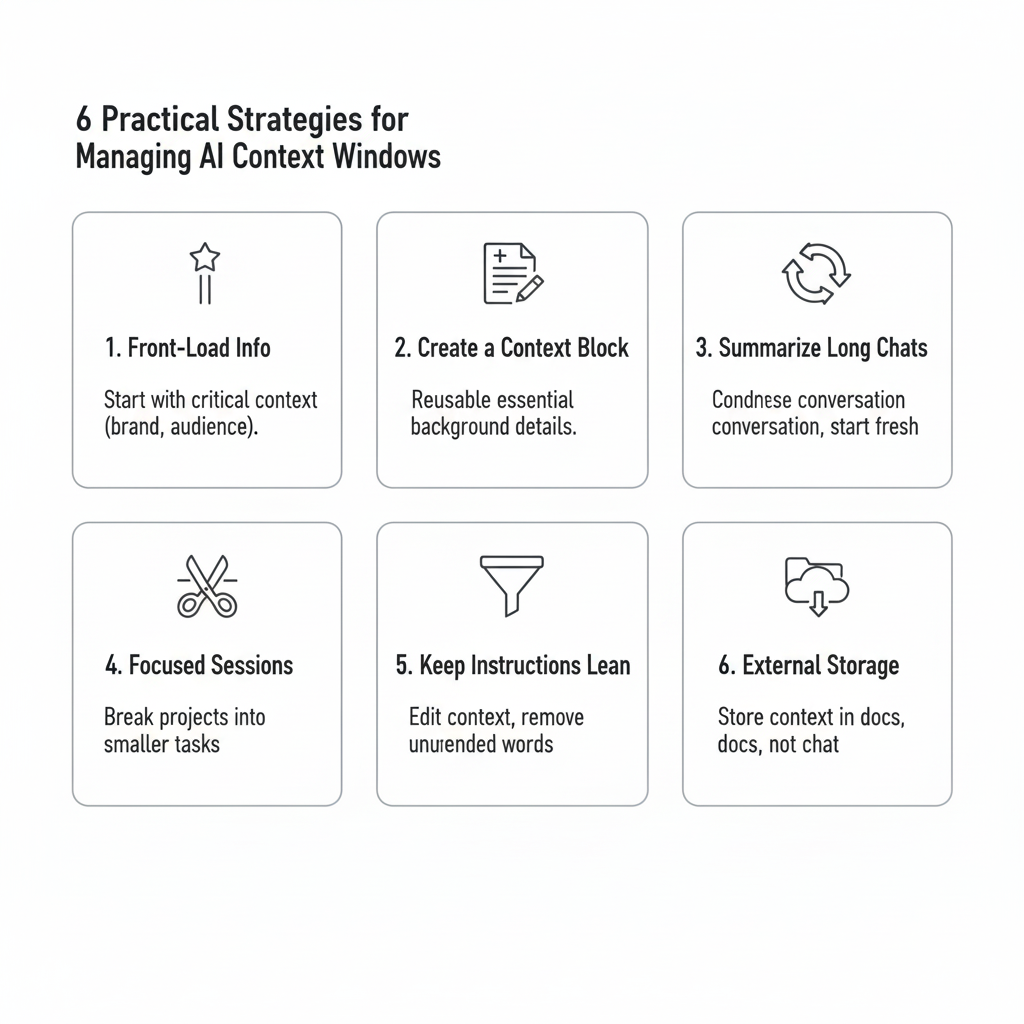
6 Practical Strategies for Managing Context Windows
Here’s how to work smarter within the limits.
Strategy 1: Front-Load the Most Important Information
Remember the “Lost in the Middle” effect?
Put your most critical context at the very beginning of your prompt or conversation.
Your brand voice. Your audience profile. Your core product details.
Get the important stuff in first. It stays most accessible.
Strategy 2: Create a Context Block
Write a reusable text block containing all your essential background information.
Paste it at the start of every new conversation.
Your Context Block should include:
- Brand name and what you promote
- Target audience (one clear paragraph)
- Your writing style and tone
- Any non-negotiables (things to always/never include)
- The specific task for this session
Keeps every session starting from the same strong foundation.
Strategy 3: Summarize Long Conversations Before They Expire
As a long conversation grows, ask AI to summarize the key points.
Then start a new conversation using that summary as context.
Prompt to use: “Summarize everything important from our conversation so far — my brand info, the decisions we made, and the content we created — in under 500 words. I’ll use this as context in a new session.”
This extends your effective working memory indefinitely.
Strategy 4: Work in Focused Sessions
Don’t try to do everything in one massive conversation.
Break large projects into focused sessions with clear goals.
Session 1: Research and outline. Session 2: Write sections 1–3. Session 3: Write sections 4–6. Session 4: Edit and refine.
Each session starts fresh, focused, and within comfortable token limits.
Strategy 5: Keep Instructions Lean
The more background you paste in, the faster you use up your context window.
Ruthlessly edit your context blocks. Include only what genuinely changes output quality.
Every unnecessary word in your instructions is a word that could have been content.
Test what you actually need. Often half of what you think is essential isn’t.
Strategy 6: Use External Storage for Persistent Information
Don’t store context inside the AI conversation.
Store it outside.
A simple Google Doc or Notion page works perfectly.
Keep your:
- Brand voice document
- Audience personas
- Product details
- Proven prompt templates
- Negative prompting lists
Then paste the relevant sections into each new conversation as needed.
This way context lives in your system, not inside a chat window that resets.
The Practical Context Block Template
Here’s a ready-to-use template.
Fill this in once. Paste at the start of every session.
CONTEXT BLOCK

Brand: [Your brand name]
Niche: [Your specific niche]
Product/Service: [What you're promoting or creating content for]

Target Audience: [One paragraph — who they are, their main problem, their goal]

Writing Style:
- Tone: [e.g., conversational, direct, practical]
- Sentence length: [e.g., short, punchy, varied]
- Things to always include: [e.g., specific CTAs, product benefits]
- Things to avoid: [e.g., jargon, superlatives, competitor names]

Today's Task: [Specific output you need in this session]
Under 200 words. Under 300 tokens. Reusable indefinitely.
This one block saves you from explaining yourself from scratch every single time.
Advanced: Structuring Long Documents Inside the Window
When you need to paste long documents into AI, structure matters.
Do this:
Put the most important, referenced sections first. Put supporting or reference-only sections in the middle. Put your actual task/request at the very end.
Why? AI pays most attention to the beginning and the end. Your task request lives at the end where attention is strongest. Your most-referenced material lives at the start where recall is best.
Also do this:
Use clear headers and labels inside pasted documents.
[PRODUCT SPECS — REFER TO THIS SECTION FOR TECHNICAL DETAILS]
...

[BRAND VOICE GUIDE — APPLY THIS TO ALL WRITING]
...

[YOUR TASK — READ THIS LAST AND EXECUTE]
...
Labeling sections makes it easier for AI to retrieve the right information even when the document is long.
What to Do When Context Is Lost Mid-Conversation
It happens. You notice AI has forgotten something important.
Don’t start over. Just reinsert.
Quick fix prompt: “I want to remind you of some context from earlier in our conversation. [Paste the key information]. With this in mind, please continue with [your task].”
This reinjects lost context efficiently without restarting everything.
Train yourself to notice the signs of lost context:
- Generic writing that ignores your brand voice
- AI asking about things you already explained
- Inconsistency with earlier outputs
- Responses that feel disconnected from your goals
When you see these signs, reinsert context. Don’t fight it. Just fix it.
The Bottom Line
Context windows are not a limitation to complain about.
They’re a constraint to plan around.
Every serious affiliate marketer who uses AI consistently has developed a system for managing context.
That system includes:
- A reusable context block for every session
- Focused, goal-specific conversations
- External storage for persistent information
- Mid-conversation summaries for long projects
AI doesn’t remember you between sessions.
But with the right system, it doesn’t need to.
You bring the context. AI brings the output.
That’s the partnership.
Build your context system this week.
Every piece of content you create after that will be sharper, more consistent, and closer to what you actually need.