Every hour you spend doing the same task twice is an hour you’ll never get back.
- Publishing a blog post.
- Onboarding a new client.
- Responding to affiliate inquiries.
- Auditing content performance.
These tasks follow the same steps every time — yet most people redo them from scratch on every repetition.
The solution isn’t discipline. It’s documentation.
A good Standard Operating Procedure (SOP) turns a task you do into a system someone else — or an AI tool — can run without you.
It frees your time for the work that actually requires your judgment.
AI doesn’t just help you write SOPs.
It helps you think through processes more carefully than you would alone, spot gaps you’d miss, and produce documentation your team can actually use.
This article gives you seven prompts that build your entire process documentation system from scratch.
You may also like:
- Email Management (Prompts for Drafting, Responding, and Organizing)
- Decision-Making Framework (Using AI for Pros/Cons Analysis)
- Advanced Prompt Techniques (Constraints, Personas, and Output Control)
Why Most SOPs Fail

Most businesses that try to build SOPs end up with one of two problems.
Too vague to follow. “Update the website” is not an SOP. It’s a reminder. A real SOP captures every step, every decision point, every tool, and every quality check — in enough detail that someone unfamiliar with the process can complete it correctly the first time.
Too detailed to maintain. The opposite failure. Fifty-page documents nobody reads. So much granularity that the SOP becomes obsolete the moment any tool or process changes.
Built once, never updated. An SOP that doesn’t reflect how the process actually works today is worse than no SOP — because people will follow it incorrectly and not know why things are going wrong.
The prompts in this article avoid all three failures by building documentation that’s appropriately detailed, structured for real use, and easy to update as processes evolve.
The S.Y.S.T.E.M. Framework

Six stages. Each one builds a layer of your documentation system.
S — Scope: Define what the process is and what it produces.
Y — Yield: Clarify the expected output and quality standard.
S — Steps: Document every action in the correct sequence.
T — Traps: Identify common errors, decision points, and exceptions.
E — Execute: Format for real use — checklists, templates, tools.
M — Maintain: Build in version control and update triggers.
S — Scope: Define the Process Boundaries
Before documenting anything, get precise about what you’re actually documenting.
Prompt 1: The Process Scoper
I want to create an SOP for this process: [name the process]

Before I document the steps, help me define the scope clearly.

Ask me:
1. Where does this process start? What triggers it?
2. Where does it end? What's the final output?
3. Who is responsible for completing it?
4. What tools, accounts, or access does it require?
5. How often does this process run?
6. Are there variations? (e.g. does it work differently for
   different clients, content types, or situations?)
7. What does a completed process look like — how do you know it's done correctly?

After my answers, write a one-paragraph process definition
and a one-sentence scope statement I can use as the SOP header.
The scope statement is your anchor. Any step that falls outside the scope statement doesn’t belong in this SOP — it belongs in a different one.
Y — Yield: Define the Quality Standard
Most SOPs document what to do. The best ones also define what good looks like.
Prompt 2: The Output Standard Builder
Here is my process definition: [paste Prompt 1 output]

Help me define the quality standard for this process.

For the final output of this process, define:

QUALITY CRITERIA:
— What does a correct, complete output look like?
— What are the non-negotiables — things that must always be true?
— What are the common quality failures — things that are often wrong?

REVIEW CHECKLIST:
— List 5-10 specific things to check before marking this process complete
— Frame each as a yes/no question

EXAMPLES:
— Describe one example of a high-quality output
— Describe one example of a common low-quality output and what went wrong

This becomes the quality control section of the SOP.
This section is what separates an SOP from a task list. Anyone can follow steps. Knowing when the output is actually good — that requires clear standards.
S — Steps: Document the Full Process
Now capture every step. This is the core of the document.
Prompt 3: The Process Extractor
Run this as an interview. Answer every question with as much detail as you can.
I'm going to describe a process I complete regularly.
Your job is to extract a complete step-by-step procedure from my description.

Ask me to walk you through the process from start to finish
as if I'm training someone new who has never done it before.

As I describe it, ask follow-up questions to capture:
- The exact sequence of steps
- The specific tools used at each step (with URLs or locations)
- Any decisions made along the way and how they're made
- Where to find information needed to complete each step
- How long each step typically takes
- What to do if something goes wrong at each step

After I've described the full process, write it back as a
numbered step-by-step procedure.

Format each step as:
STEP [N]: [action verb + what to do]
TOOL: [specific tool or location]
TIME: [approximate time]
DETAIL: [any important specifics, warnings, or context]
Describe the process out loud as you would explain it to a new hire. The more naturally you talk through it, the more detail AI can extract. Don’t try to be organized — AI will organize it.
Prompt 4: The Gap Finder
Even the most thorough process description leaves things out. This prompt finds what’s missing.
Here is the step-by-step process I just documented: [paste Prompt 3 output]

Review it for gaps and problems:

MISSING STEPS:
— Are there steps implied but not explicitly stated?
— Are there setup or preparation steps missing from the beginning?
— Are there verification or sign-off steps missing at the end?

ASSUMED KNOWLEDGE:
— What does this SOP assume the reader already knows?
— What terms, tools, or context need to be explained for a new person?

AMBIGUOUS INSTRUCTIONS:
— Which steps could be interpreted in more than one way?
— Where is the instruction too vague to follow precisely?

MISSING DECISION POINTS:
— Where does the process branch based on conditions?
   (e.g. "if X then do Y, if Z then do W")
— Are all those branches documented?

Rewrite the SOP with all gaps filled.
Run this even if you think your process description was thorough. There will always be gaps. Assumed knowledge is the most common SOP failure — the person who wrote it knows too much to notice what they left out.
T — Traps: Document Errors and Exceptions
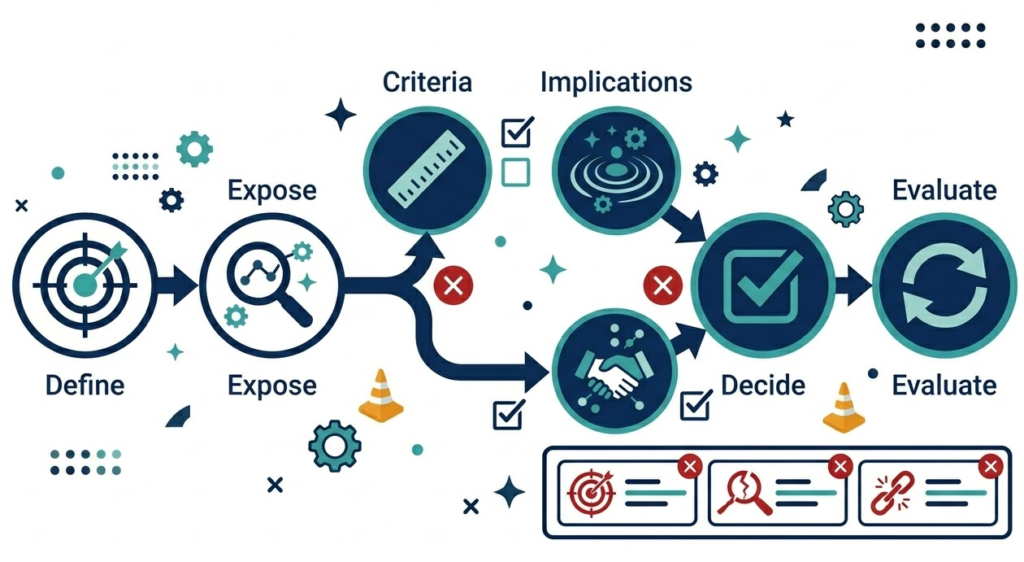
Every process has places where things go wrong. Document them before they happen to someone else.
Prompt 5: The Error and Exception Mapper
Here is my completed process SOP: [paste current SOP]

Document the failure modes and exceptions for this process.

COMMON ERRORS:
For the 3-5 most frequent mistakes people make in this process:
- What is the error?
- At which step does it happen?
- How do you recognize it?
- How do you fix it?
- How do you prevent it next time?

EXCEPTION HANDLING:
For situations where the standard process doesn't apply:
- What triggers the exception? (what unusual condition causes it?)
- What's different about how to handle it?
- Who needs to be involved when this exception occurs?

ESCALATION CRITERIA:
- At what point should the person running this process stop
  and ask for help rather than proceeding?
- Who do they ask?

Add these as an "Errors and Exceptions" section at the end of the SOP.
The error documentation is what turns an SOP into a real training document. New team members will hit these problems. Having the fixes already written saves hours of back-and-forth.
E — Execute: Format for Real Use
A well-written SOP that’s hard to use in practice doesn’t get used.
Prompt 6: The Usability Formatter
Here is my complete SOP draft: [paste full SOP so far]

Reformat this for practical daily use.

Create three versions:

VERSION 1 — FULL SOP (for training and reference):
- Complete step-by-step with all detail, tools, and context
- Errors and exceptions section included
- Quality checklist at the end

VERSION 2 — QUICK CHECKLIST (for experienced users):
- Steps condensed to single-line checkboxes
- No explanatory detail — just the sequence
- Fits on one page

VERSION 3 — QUICK REFERENCE CARD (for the most critical steps only):
- The 5-7 steps where mistakes are most likely or most costly
- One sentence each, bold and scannable
- Print-and-pin format

Label each version clearly. The full SOP goes in your documentation system.
The checklist gets used daily. The reference card goes on the wall.
Different people use SOPs differently at different stages of learning. New team members need the full version. Experienced team members need the checklist. Everyone benefits from the reference card for high-stakes steps.
M — Maintain: Keep It Current
An outdated SOP is a liability. It teaches people to do things wrong.
Prompt 7: The Maintenance System Builder
Here is my completed SOP: [paste final SOP]

Build a maintenance system for this document.

VERSION CONTROL:
- What information should appear in the document header?
  (version number, last updated date, owner, next review date)
- How should changes be tracked? (what changed, why, who approved)

UPDATE TRIGGERS:
- List the specific conditions that should trigger an SOP review:
  (tool changes, process failures, new team members, policy changes, etc.)
- Who is responsible for initiating the review?

REVIEW CHECKLIST:
- What questions should be asked during a quarterly SOP review?
- How do you verify the SOP still reflects the actual process?

FEEDBACK LOOP:
- How should team members flag when a step is wrong or missing?
- Where should they record it?
- Who acts on the feedback?

Format this as a one-page maintenance protocol to attach to the SOP.
A SOP without a maintenance system has an expiry date. This prompt builds the mechanism that keeps your documentation alive and accurate over time.
Building Your SOP Library
One SOP is useful. A library of SOPs is a business asset.
Start with the processes that cost you the most time when they go wrong — or the ones you repeat most often.
Priority 1 — Revenue-critical processes: Content publishing workflow. Affiliate link management. Email campaign deployment. Anything that directly affects income if done incorrectly.
Priority 2 — High-repetition processes: Social media scheduling. Analytics reporting. Keyword research. Tasks you do weekly that follow the same pattern every time.
Priority 3 — Delegation-ready processes: Anything you want to hand off to a team member or VA. The SOP is what makes delegation possible without constant supervision.
Run the full S.Y.S.T.E.M. framework for each one. After five SOPs, you’ll have a documentation habit that compounds over time.
Using AI to Run Your SOPs
Once your SOPs are documented, AI can do more than just help you write them.
AI as the process runner: Feed your SOP into AI and ask it to complete specific steps — drafting the content, writing the email, generating the report outline. The SOP becomes a set of instructions AI follows.
AI as the quality checker: Feed your output and your quality checklist into AI and ask it to verify each criterion. Faster than manual review for repeatable outputs.
AI as the trainer: Feed your SOP into AI and ask it to quiz a new team member, answer questions about the process, or generate practice scenarios.
Your documented process becomes reusable in every direction.
The Bottom Line
A business that runs on undocumented processes runs on you.
Every time you’re the only person who knows how something works, you’ve created a bottleneck. Every time you redo a process from memory instead of a system, you’ve wasted time you could have saved.
Seven prompts. One framework. A documentation system that frees you from repeating yourself forever.
Build the SOP once. Let the system do the work.