You may also like:
- Meta-Prompting (Teaching AI to Build Better Prompts for You)
- How to Refine AI Content
- Advanced Prompt Techniques (Constraints, Personas, and Output Control)
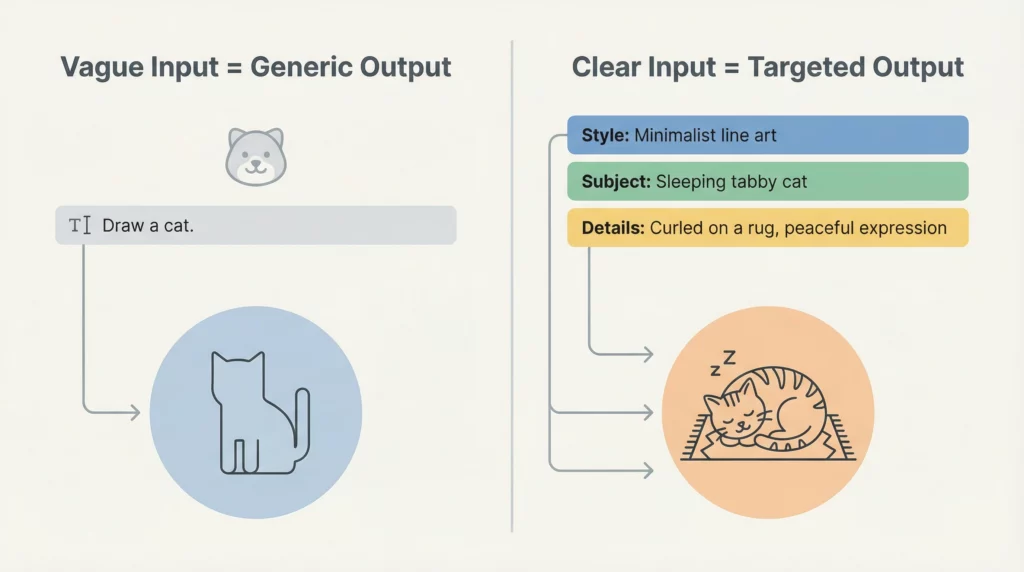
Most people treat AI like a magic box.
They type in a vague question. They get a vague answer. Then they wonder why AI doesn’t work for them.
Here’s the truth: AI is only as good as the instructions you give it.
Think of it like hiring someone to do a job. If you tell them “make something,” you’ll get random results. But if you give them clear specifications, you’ll get exactly what you need.
The same applies to AI prompts.
In this guide, you’ll learn the 7 essential components that transform weak prompts into powerful ones. These components work with ChatGPT, Claude, or any AI chat tool.
By the end, you’ll have a simple framework you can use immediately.
Let’s dive in.
Why Prompt Structure Matters
Before we break down the components, you need to understand why structure matters.
AI models are trained on billions of text examples. They predict what should come next based on patterns they’ve seen.
When you give AI a structured prompt, you’re essentially programming it to think in a specific direction.
The more context and direction you provide, the more precise the output becomes.
Quick example:
Weak prompt: “Write about marketing.”
Strong prompt: “You are a digital marketing consultant. Write a 500-word guide explaining email segmentation to small business owners who are new to email marketing. Use simple language and include 3 practical examples.”
See the difference?
The second prompt tells the AI:
- What role to take
- What to create
- Who it’s for
- How to write it
- What to include
This is what structured prompts do.
Now let’s break down each component.
The 7 Essential Components of Every Effective Prompt
Component 1: Role (Who the AI Should Be)
The first component defines the AI’s expertise and perspective.
When you assign a role, you’re telling the AI what knowledge base to draw from and what lens to use.
Examples:
- “You are an experienced copywriter…”
- “You are a fitness coach specializing in weight loss…”
- “You are a data analyst…”
- “You are a patient teacher explaining concepts to beginners…”
Why it matters:
The same task will produce different results depending on the role.
Ask a “marketing strategist” and a “technical writer” to explain SEO. You’ll get very different responses.
For affiliate marketers:
Match the role to your content needs:
- Product reviews: “experienced product reviewer”
- Email sequences: “email marketing specialist”
- Comparison articles: “tech analyst”
- Tutorials: “patient instructor”
Pro tip: Be specific about the role’s expertise level and niche when relevant.
Instead of: “You are a marketer” Try: “You are a performance marketer with 10 years of experience in the health and wellness affiliate space”
Component 2: Task (What You Want the AI to Do)
This is the core of your prompt.
What specific action do you want the AI to take?
Be clear. Be specific. Be direct.
Examples:
- “Write a 1000-word blog post…”
- “Create a 5-email welcome sequence…”
- “Generate 20 headline variations…”
- “Analyze this data and identify trends…”
- “Explain the difference between X and Y…”
Common mistakes:
Too vague: “Help me with content” Better: “Write a product comparison article between Product A and Product B”
Too broad: “Tell me about social media” Better: “Create a 30-day content calendar for Instagram focusing on fitness tips”
Actionable advice:
Start your task with a verb:
- Write, Create, Generate, Analyze, Explain, Compare, Summarize, List, Design, Develop
This makes the instruction crystal clear.
Component 3: Context (Background Information)
Context helps the AI understand the bigger picture.
Why are you creating this content? What’s the situation? What constraints exist?
Examples:
- “I’m launching a new affiliate site about photography gear…”
- “My audience has been asking about budget-friendly options…”
- “This is for a product launch happening next month…”
- “I need to explain this to people who have no technical background…”
What to include:
- The purpose of the content
- Relevant background information
- Current situation or challenge
- Any important details that affect the output
Example in action:
Without context: “Write about running shoes”
With context: “I’m creating content for my affiliate site focused on beginner runners. My audience typically shops on a budget ($50-$100 range) and prioritizes comfort over performance features. Most are casual runners doing 2-3 miles, 2-3 times per week.”
See how the context shapes what the AI should focus on?
Component 4: Audience (Who Will Read/Use This)
Every piece of content has a reader.
The more specific you are about your audience, the better the AI can tailor its response.
Audience dimensions to consider:
- Experience level: Beginner, intermediate, advanced
- Demographics: Age range, profession, interests
- Pain points: What problems do they face?
- Knowledge level: What do they already know?
- Goals: What are they trying to achieve?
Examples:
- “Write for busy parents in their 30s who want to start exercising but have limited time”
- “Target audience: small business owners with no marketing experience”
- “Readers are tech-savvy millennials interested in productivity tools”
- “Audience: college students looking for budget-friendly meal prep ideas”
Why this matters for affiliate marketing:
Your product recommendations and messaging should match your audience’s level.
Recommending a $2000 camera to hobbyists will miss the mark. Recommending a basic point-and-shoot to professionals won’t work either.
Define your audience clearly, and the AI will adjust accordingly.
Component 5: Format (How to Structure the Output)
Format tells the AI how to organize and present the information.
This includes:
- Length (word count, number of items)
- Structure (headings, bullets, paragraphs)
- Content type (blog post, email, script, list)
Common formats:
- “Write a 1500-word blog post with clear H2 headings”
- “Create a numbered list of 10 items”
- “Format as a 3-email sequence, each 250-300 words”
- “Structure as a comparison table”
- “Write as a step-by-step tutorial with screenshots placeholders”
- “Format as Q&A with 5 questions and detailed answers”
Be specific about:
- Word count or length
- Number of sections/items
- Heading structure
- Whether to use bullets or paragraphs
- Any special formatting needs
Example:
Generic: “Write about keyword research”
Specific: “Write a 1200-word tutorial on keyword research. Use these sections: Introduction (150 words), Why It Matters (200 words), Step-by-Step Process (600 words with numbered steps), Tools to Use (150 words in bullet points), Conclusion (100 words).”
Component 6: Tone & Style (How It Should Sound)
Tone shapes how your content feels to the reader.
The same information can be delivered formally or casually, enthusiastically or objectively.
Common tone options:
- Professional and authoritative
- Friendly and conversational
- Educational and informative
- Enthusiastic and motivational
- Casual and humorous
- Empathetic and supportive
- Direct and no-nonsense
Style considerations:
- Sentence length (short and punchy vs. longer and flowing)
- Vocabulary level (simple vs. technical)
- Personality (warm vs. neutral)
- Energy level (high-energy vs. calm)
Examples:
- “Use a warm, encouraging tone like you’re talking to a friend”
- “Write in a professional but accessible style, avoiding jargon”
- “Keep the tone enthusiastic and motivating”
- “Use short, punchy sentences. Write like Hemingway.”
- “Maintain an objective, analytical tone”
For affiliate content:
Your tone should match your brand and audience expectations.
Fitness content might be energetic and motivating. Financial advice should be trustworthy and professional. Tech reviews can be enthusiastic but analytical.
Component 7: Constraints (What to Avoid or Include)
Constraints are the guardrails that keep AI on track.
They tell the AI what NOT to do, or what it MUST include.
Types of constraints:
Restrictions (What to avoid):
- “Avoid technical jargon”
- “Don’t use clichés or corporate buzzwords”
- “Never make up statistics or data”
- “Avoid mentioning specific brand names except [X, Y, Z]”
Requirements (What to include):
- “Include at least 3 specific examples”
- “Mention these key points: [list]”
- “Reference scientific studies where relevant”
- “Include a call-to-action in the conclusion”
Quality standards:
- “Write for an 8th-grade reading level”
- “Keep paragraphs under 4 sentences”
- “Use active voice”
- “Include transition phrases between sections”
Examples in action:
- “Avoid making absolute claims. Use phrases like ‘may help’ or ‘could benefit'”
- “Include price ranges for all product recommendations”
- “Do not use fear-based language or create urgency artificially”
- “Must include pros and cons for each option”

Optional Components (Advanced Level)
Once you master the 7 essentials, you can add these optional components for even more control:
[Examples]: Provide 1-2 examples of what you want
- “Write in a style similar to this example: [paste example]”
- “Here’s a good headline format: [example]”
[Output Format Specification]: Define exact structure
- “Return the response in JSON format”
- “Structure as: Introduction | Body | Conclusion”
[Chain of Thought]: Ask AI to show its reasoning
- “Explain your thinking process step-by-step”
- “Before answering, consider these factors: [list]”
[Iteration Instructions]: Guide follow-up refinements
- “After creating the first draft, review it for clarity and suggest improvements”
[Success Metrics]: Define what “good” looks like
- “The content should answer these 5 questions: [list]”
- “Success means the reader can implement this within 30 minutes”
The Complete Prompt Template (Fill-in-the-Blank)
Here’s a ready-to-use template you can fill out for any task:
You are [ROLE - specific expertise and perspective].

[TASK - clear action you want the AI to take].

[CONTEXT - background information and why this matters]:
- [Relevant detail 1]
- [Relevant detail 2]

The target audience is [AUDIENCE - who will use/read this]:
- [Audience characteristic 1]
- [Audience characteristic 2]

Format: [FORMAT - structure and length]
- [Format detail 1, e.g., word count]
- [Format detail 2, e.g., section structure]

Tone & Style: [TONE - how it should sound]
- [Tone preference 1]
- [Tone preference 2]

Constraints:
Must include: [REQUIREMENTS]
Avoid: [RESTRICTIONS]
Example filled out:
You are an experienced affiliate marketer specializing in home fitness equipment with 8 years in the industry.

Write a detailed product comparison article between the Peloton Bike and the NordicTrack S22i Studio Cycle.

Context:
- I run an affiliate site focused on home workout solutions
- My audience is deciding between these two popular options
- Both products are in a similar price range ($1,500-$2,000)
- This will be a cornerstone piece that ranks for "[product] vs [product]" keywords

The target audience is:
- Adults 30-50 years old considering their first premium exercise bike
- Budget-conscious but willing to invest in quality
- Limited experience with connected fitness equipment
- Working from home with limited space

Format:
- 2000-word article
- Structure: Introduction, Features Comparison (table format), Pros & Cons for each, Best For sections, Final Verdict
- Include H2 and H3 headings for scannability

Tone & Style:
- Helpful and unbiased, like a trusted friend giving advice
- Professional but conversational
- Use short paragraphs (2-3 sentences max)

Constraints:
Must include:
- Specific price points for each model
- Monthly subscription costs
- Space requirements
- 3 real user considerations for each bike

Avoid:
- Making absolute "better/best" claims
- Technical jargon without explanation
- Promotional language that sounds salesy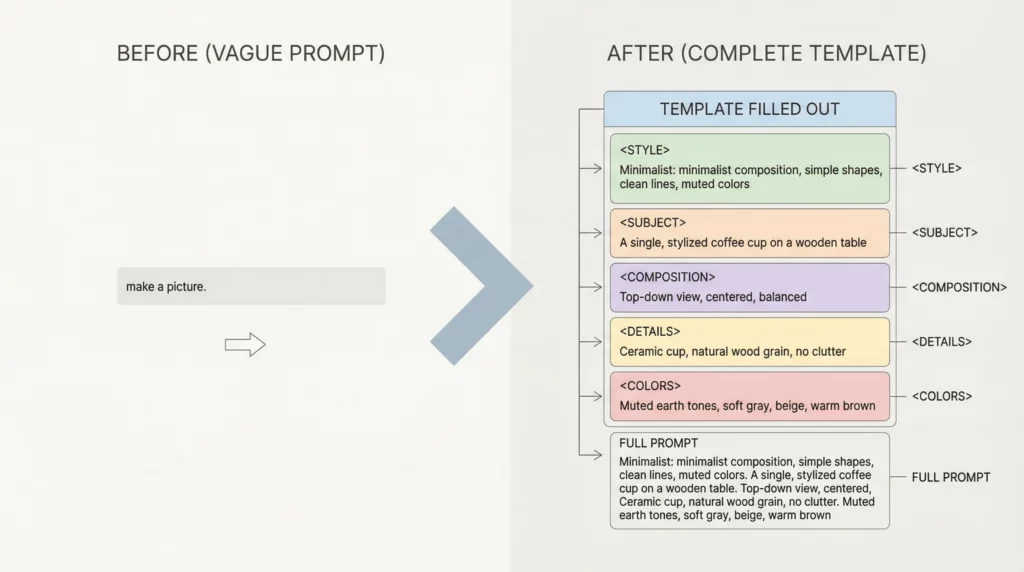
Putting It All Together: Real Examples
Let’s see how these components work in practice.
Example 1: Email Marketing
Weak prompt: “Write a promotional email”
Strong prompt using all 7 components:
You are an email marketing specialist with expertise in e-commerce conversion optimization.

Create a promotional email for a Black Friday sale on kitchen gadgets.

Context: This is the second email in our Black Friday sequence. The first email (sent yesterday) announced the sale dates. This email should focus on our top 5 bestselling products with the deepest discounts (40-50% off).

Audience: Home cooks aged 28-45 who have purchased from us before. They value quality over price but love a good deal. Most cook 4-5 times per week and appreciate time-saving tools.

Format:
- 300-350 words maximum
- Structure: Engaging subject line, brief opening, product showcase (5 items with original/sale price), urgency element, clear CTA
- Use bullet points for product features

Tone & Style:
- Enthusiastic but not pushy
- Friendly and conversational
- Create excitement without using excessive exclamation points

Constraints:
Must include:
- Specific discount percentages for each product
- Sale end date (November 28, 11:59 PM)
- Free shipping mention (orders over $50)

Avoid:
- False scarcity tactics
- All caps text
- More than one CTA link
Example 2: Tutorial Content
Weak prompt: “Explain SEO”
Strong prompt using all 7 components:
You are a patient SEO instructor who specializes in teaching beginners.

Write a beginner-friendly tutorial explaining how to do basic keyword research for a blog post.

Context: This is for new affiliate marketers who understand what SEO is conceptually but have never actually done keyword research themselves. They need a practical, actionable guide they can follow immediately.

Audience: Complete beginners who may feel intimidated by technical tools. They have a blog but haven't optimized it yet. Most have limited budgets so prefer free tools.

Format:
- 1200-word tutorial
- Step-by-step numbered process (7-10 steps)
- Include H2 headings for each major phase
- Add a "Common Mistakes to Avoid" section at the end

Tone & Style:
- Encouraging and supportive
- Explain concepts simply without being condescending
- Use analogies to make technical concepts relatable
- Short sentences and paragraphs

Constraints:
Must include:
- At least 3 free tools (with brief description of each)
- What makes a "good" keyword (search volume, competition, intent)
- A specific worked example

Avoid:
- Technical SEO jargon without explanation
- Recommending expensive paid tools
- Making it seem more complicated than it is
How to Practice Building Better Prompts
Now that you understand the 7 components, here’s how to improve:
1. Start with the Template
Use the fill-in-the-blank template above. Fill it out completely for your next AI task.
Don’t skip components. Even if some seem obvious, include them.
2. Compare Your Results
Try the same task twice:
- Once with a basic one-line prompt
- Once with all 7 components
Notice the difference in quality and relevance.
3. Iterate and Refine
AI rarely gets it perfect on the first try.
If the output is 70% right, tell the AI what to adjust:
- “Make the tone more professional”
- “Add more specific examples”
- “Shorten the introduction”
This is normal and expected.
4. Build Your Prompt Library
When you create a prompt that works well, save it.
Create a document with your best prompts organized by category:
- Product reviews
- Email sequences
- Social posts
- Research tasks
Reuse and adapt them for similar projects.
5. Experiment with Different Combinations
Not every prompt needs all 7 components with equal weight.
Sometimes Context matters more than Tone. Sometimes Format is critical but Constraints are minimal.
Learn which components matter most for your specific use cases.
Common Questions About Prompt Components
Q: Do I really need all 7 components every time?
No. The minimum is Role + Task. Everything else enhances the output.
For simple tasks, you can skip some components.
For complex or important content, use all 7.
Q: How long should my prompts be?
As long as needed to be clear. Usually 100-300 words.
Don’t worry about prompt length. AI handles long prompts well.
Clarity matters more than brevity.
Q: What if I don’t know my audience well enough to define them?
Start general and refine.
Even “general audience interested in [topic]” is better than nothing.
As you learn more about your readers, update your prompts.
Q: Can I use these components with image generators or other AI tools?
The principles apply broadly, but image generators work differently.
For text-based AI (ChatGPT, Claude, etc.), these 7 components are essential.
Q: Should I write prompts in bullet points or paragraphs?
Either works. Use what feels natural to you.
Bullets can make components clearer. Paragraphs can flow more naturally.
Test both and see what gives you better results.
What’s Next?
You now understand the 7 essential components of effective prompts:
- Role – Who the AI should be
- Task – What you want it to do
- Context – Background and purpose
- Audience – Who will use/read this
- Format – How to structure it
- Tone & Style – How it should sound
- Constraints – What to include/avoid
This framework works for any AI task.
- Product reviews
- Email sequences
- Social media posts
- Research
- Analysis
- Writing
- Planning
The better your prompts, the better your results.
Start with the template. Fill in the components. See the difference yourself.
And remember: AI is a tool. The quality of your output depends on the quality of your input.
Master the anatomy of prompts, and you’ll unlock AI’s full potential.
Want to build structured prompts even faster?
Instead of manually filling out components each time, use our free AI Prompt Builder tool. Just answer a few questions, and it generates a complete, structured prompt for you.
Quick Reference: The 7 Components Checklist
Use this checklist for your next prompt:
- Role: Defined AI’s expertise and perspective
- Task: Clear, specific action stated
- Context: Background information provided
- Audience: Target reader/user described
- Format: Structure and length specified
- Tone & Style: Voice and feel indicated
- Constraints: Requirements and restrictions listed
Copy this checklist and keep it handy while you work with AI.
The more you practice, the more natural these components become.
Soon you’ll build effective prompts without even thinking about it.

I’m a blogger, and I’ve recently started exploring the world of AI to enhance my workflow, and I’m genuinely impressed by its potential. However, I’ve found that the key to unlocking its power lies in crafting clear and detailed prompts. There have been times when I’ve thrown out a vague request, only to be met with unsatisfactory results.
That’s why posts like this are so valuable to me. They serve as a reminder that mastering the art of prompt crafting is essential. The more I practice and refine my approach, the more I realize that AI can be a dependable ally in my creative process rather than just a fleeting experiment. I’m excited to see how this journey unfolds!
Thanks for your comment!