You’ve probably heard that prompt engineering is complicated.
That you need to master dozens of techniques and frameworks to get good AI results.
Here’s the truth: Most people overcomplicate it.
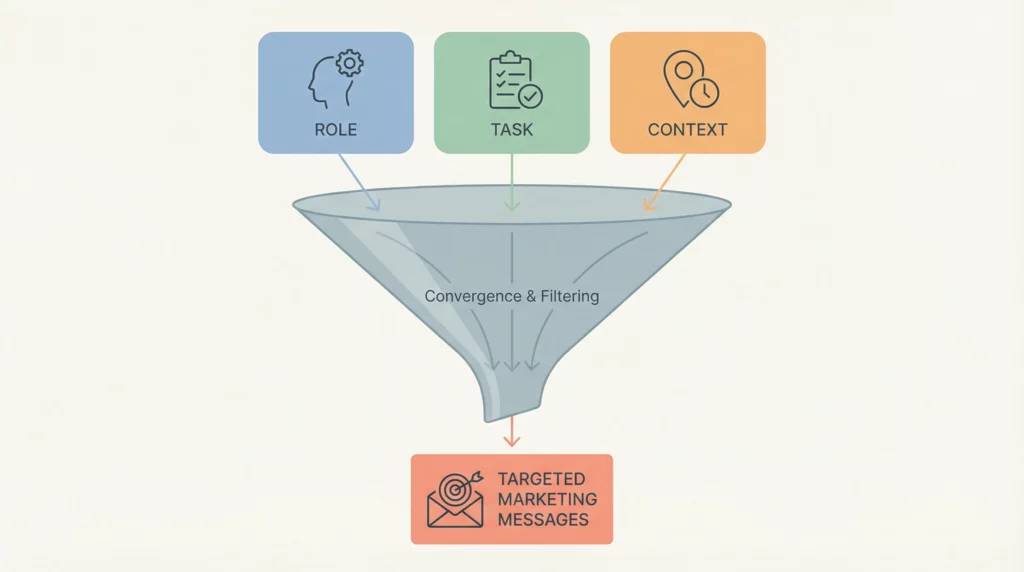
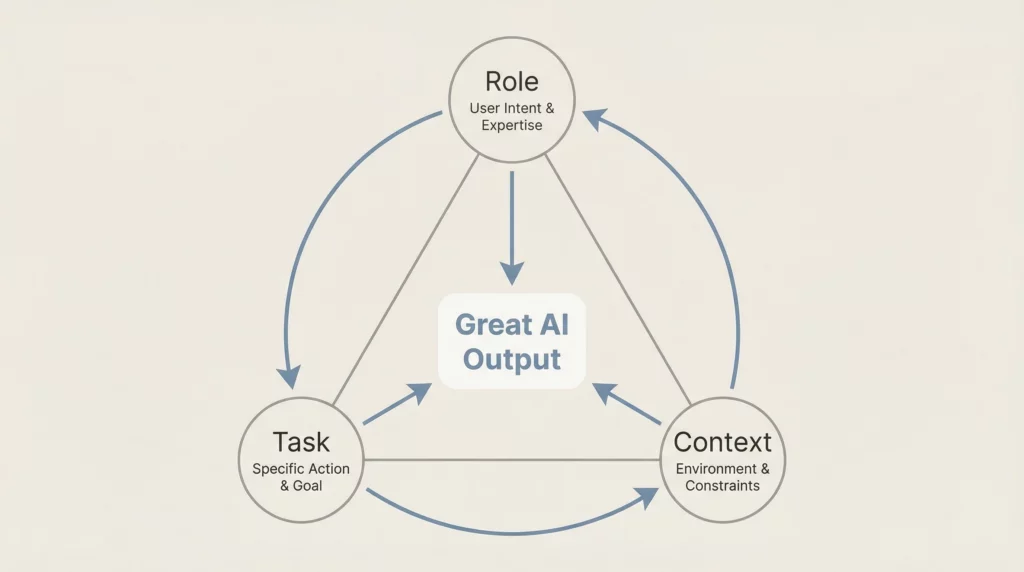
The simplest framework that consistently delivers great results has just three parts:
- Role (who the AI should be)
- Task (what you want it to do)
- Context (why it matters and what background information is relevant)
That’s it.
Three components.
Role-Task-Context.
In this guide, you’ll see exactly why this framework works and how to use it. More importantly, you’ll see 15 real examples across different use cases.
By the end, you’ll be able to apply this framework to any task you face.
You may also like:
- Advanced Prompt Techniques
- Decision-Making Framework (Using AI for Pros/Cons Analysis)
- Temperature and Creativity (Understanding AI Parameters – Simple Explanation)
Why This Framework Works
Before we get to the examples, let’s understand the psychology behind why Role-Task-Context is so effective.
The Role Sets the Expertise
When you assign a role, you’re telling AI what knowledge base to draw from.
“You are a copywriter” activates different language patterns than “You are a data analyst.”
The role shapes the perspective, vocabulary, and approach.
The Task Provides Direction
The task is your instruction. What specific action should the AI take?
Without a clear task, AI guesses at what you want. With a clear task, it knows exactly what to deliver.
The Context Adds Relevance
Context is where good prompts become great prompts.
It tells AI WHY you need this and WHAT constraints or considerations matter.
The same task with different context produces dramatically different results.
Think of it like hiring someone:
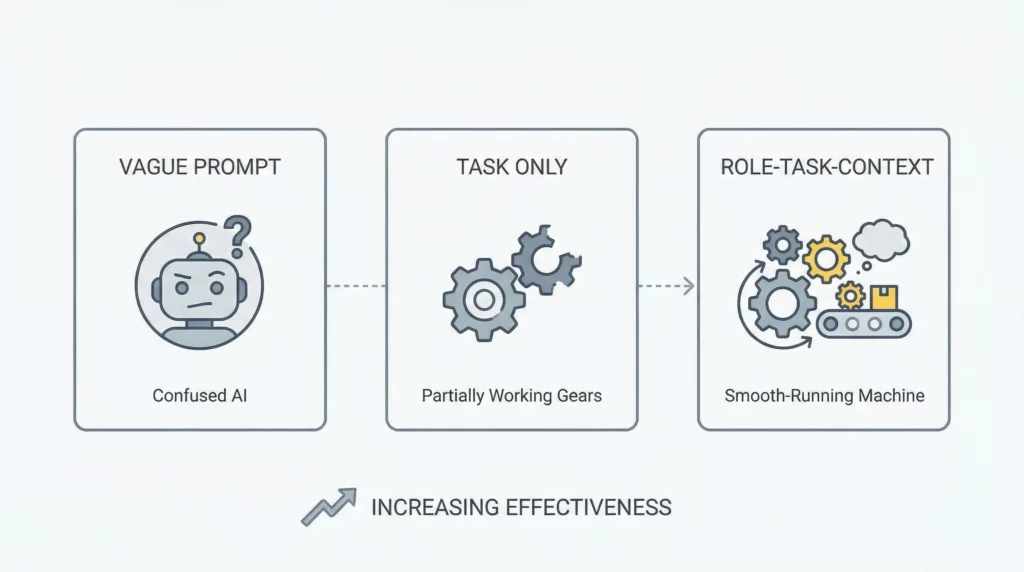
Bad: “Write something.” (No role, vague task, zero context)
Better: “Write a blog post.” (Still no role or context)
Best: “You are a content strategist. Write a 1000-word blog post about email marketing. Context: My audience is small business owners who are new to email marketing and feel overwhelmed by technical tools.”
See the difference?
The Framework Template
Here’s the basic structure you can use for any prompt:
You are [ROLE - the expertise/perspective].

[TASK - what you want AI to do].

Context: [CONTEXT - relevant background information, constraints, purpose].
That’s the foundation.
Now let’s see it in action with 15 real examples.
Category 1: Content Creation Examples
Example 1: Blog Post Introduction
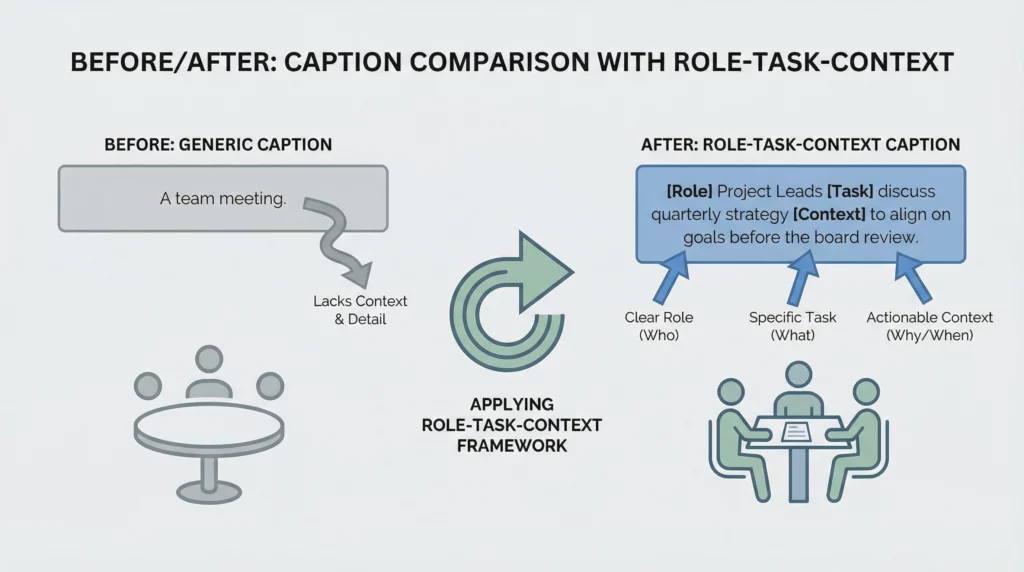
Without Framework: “Write an intro about productivity tips.”
With Role-Task-Context:
You are a productivity coach who helps busy professionals.

Write a 150-word blog post introduction about morning routines.

Context: My readers are overwhelmed professionals who struggle to find time for themselves. They've tried productivity hacks before and failed. Use an empathetic tone that acknowledges their struggle before offering hope.
Why it works: The role (productivity coach) shapes the voice. The task is specific (150 words, introduction, specific topic). The context ensures the tone matches the audience’s mindset.
Example 2: Product Review
Without Framework: “Review this laptop.”
With Role-Task-Context:
You are a tech reviewer who specializes in laptops for creative professionals.

Write an honest 500-word review of the Dell XPS 15.

Context: This review is for my affiliate site targeting video editors and graphic designers. They need to know about performance under creative workloads, display quality, and whether it's worth the premium price compared to alternatives. Be balanced - include both strengths and limitations.
Why it works: The role (tech reviewer for creatives) focuses the review. The task sets length and product. The context identifies audience needs and sets the honest, balanced tone.
Example 3: Social Media Caption
Without Framework: “Write a caption for my post.”
With Role-Task-Context:
You are a social media strategist for health and wellness brands.

Write an engaging Instagram caption (100 words max) for a post about meal prep tips.

Context: My audience is young professionals (25-35) who want to eat healthier but think meal prep is too time-consuming. The caption should feel relatable, not preachy. Include a question at the end to drive comments.
Why it works: The role ensures brand-appropriate voice. The task specifies platform, length, and topic. The context prevents preachy tone and includes engagement strategy.
Example 4: Email Newsletter
Without Framework: “Write a newsletter.”
With Role-Task-Context:
You are an email marketing specialist for online educators.

Write a 300-word newsletter announcing a new course on time management.

Context: This goes to my existing students who have purchased beginner courses before. They trust my teaching style. The goal is to generate interest without being salesy. Highlight the transformation, not just features. Include a soft call-to-action to learn more.
Why it works: The role shapes the marketing approach. The task is clear and length-specific. The context balances selling with relationship-building for an existing audience.
Example 5: Video Script Outline
Without Framework: “Create a video outline about saving money.”
With Role-Task-Context:
You are a personal finance educator who makes complex topics simple.

Create a 5-minute YouTube video outline about saving your first $1000.

Context: Target audience is people in their 20s living paycheck to paycheck who think saving is impossible. Break it into actionable steps. Use encouraging language. Include a hook for the first 10 seconds to grab attention before people scroll away.
Why it works: The role ensures simplified explanations. The task sets format and topic. The context addresses audience psychology and platform-specific needs (hook for retention).
Category 2: Marketing & Sales Examples
Example 6: Landing Page Copy
Without Framework: “Write landing page copy.”
With Role-Task-Context:
You are a conversion copywriter specializing in SaaS products.

Write headline and subheadline copy for a project management tool landing page.

Context: The tool is designed for remote teams of 5-20 people. Main pain point: too many tools, no single source of truth. Main benefit: everything in one place. Target audience is team leaders tired of toggling between 10 different apps. Focus on the relief of simplicity, not technical features.
Why it works: The role brings conversion expertise. The task targets specific page elements. The context focuses on pain-to-relief messaging rather than feature lists.
Example 7: Ad Copy
Without Framework: “Write a Facebook ad.”
With Role-Task-Context:
You are a direct response copywriter for e-commerce brands.

Write 3 variations of Facebook ad primary text (125 characters max) for noise-canceling headphones.

Context: Target audience is remote workers struggling with noisy home environments. They're distracted and frustrated. The ad should call out the pain point immediately, then hint at the solution. Tone: understanding but energetic. This is top-of-funnel awareness, not direct sales.
Why it works: The role ensures persuasive copy. The task requests variations within character limit. The context sets audience awareness level and appropriate messaging approach.
Example 8: Email Subject Lines
Without Framework: “Generate subject lines.”
With Role-Task-Context:
You are an email marketing specialist focused on open rate optimization.

Generate 10 email subject lines for a Black Friday sale announcement.

Context: This email goes to subscribers who haven't purchased in 6+ months (inactive segment). Need to re-engage them without sounding desperate. Emphasize exclusive access and limited time. Avoid all caps and excessive exclamation points. Keep under 50 characters for mobile optimization.
Why it works: The role focuses on opens. The task is quantity-specific. The context tailors messaging to inactive subscribers and sets professional tone standards.
Example 9: Sales Page Benefits
Without Framework: “List product benefits.”
With Role-Task-Context:
You are a sales copywriter who turns features into emotional benefits.

Transform these 5 product features into compelling benefit statements for a meal planning app.

Context: Target audience is busy parents who feel guilty about feeding their kids fast food but are too overwhelmed to plan healthy meals. They need to feel understood, not judged. Connect each feature to emotional relief (less stress, more family time, feeling like a good parent).
Why it works: The role ensures benefit-focused transformation. The task is specific about what to transform. The context prevents judgment and connects to emotional drivers.
Example 10: Testimonial Requests
Without Framework: “Write an email asking for testimonials.”
With Role-Task-Context:
You are a customer success manager who builds genuine relationships.

Write a brief email (150 words) asking satisfied customers for testimonials.

Context: These customers recently completed a successful project using our software. They've expressed satisfaction verbally but haven't left written testimonials. Make it easy by providing specific questions they can answer. Keep tone grateful and helpful, not pushy. Acknowledge their busy schedules.
Why it works: The role keeps it relationship-focused. The task sets length and purpose. The context provides timing and ensures low-pressure approach.
Category 3: Business Operations Examples
Example 11: Meeting Agenda
Without Framework: “Create a meeting agenda.”
With Role-Task-Context:
You are a project manager who runs efficient, outcome-focused meetings.

Create a 60-minute meeting agenda for a quarterly planning session with a team of 8.

Context: The team is remote and spread across time zones. Previous meetings ran long and lacked clear outcomes. Need to cover: Q3 review, Q4 priorities, resource allocation, and roadblocks. Allocate specific time blocks. Include decision-making points, not just discussion topics.
Why it works: The role ensures efficiency focus. The task specifies duration and attendees. The context addresses past problems and ensures action-oriented structure.
Example 12: Project Brief
Without Framework: “Write a project brief.”
With Role-Task-Context:
You are a project management consultant who creates clear, actionable briefs.

Write a one-page project brief for launching a new website.

Context: This brief goes to a design agency. They need to understand: business goals, target audience, key features required, timeline, and budget constraints. The current website is outdated and not mobile-friendly. Priority is lead generation over brand aesthetics. Keep it concise - agencies receive dozens of briefs weekly.
Why it works: The role emphasizes clarity. The task sets format and topic. The context ensures all necessary information is included and prioritized appropriately.
Example 13: Performance Review Preparation
Without Framework: “Help me prepare for a performance review.”
With Role-Task-Context:
You are a career coach who helps professionals advocate for themselves.

Create a structured outline for documenting my achievements for an annual performance review.

Context: I'm a marketing manager who led 3 major campaigns this year. I struggle with self-promotion and tend to downplay my contributions. Help me frame achievements with metrics and business impact. Include categories for: quantifiable results, leadership examples, problem-solving moments, and growth areas. Keep tone confident but not arrogant.
Why it works: The role brings advocacy perspective. The task creates useful structure. The context addresses personal challenge (self-promotion) and ensures balanced tone.
Example 14: Process Documentation
Without Framework: “Document our onboarding process.”
With Role-Task-Context:
You are an operations specialist who creates clear, step-by-step documentation.

Create an onboarding checklist for new customer service representatives.

Context: New hires are remote and need to get up to speed quickly without constant supervision. Cover: systems access, training modules, first-week tasks, and key contacts. Format as a sequential checklist with estimated time for each item. Include common pitfalls to avoid. Target: new hire should feel confident and supported, not overwhelmed.
Why it works: The role ensures clarity. The task defines audience and format. The context balances thoroughness with accessibility for remote workers.
Example 15: Decision Framework
Without Framework: “Help me make a decision.”
With Role-Task-Context:
You are a business strategist who helps leaders make informed decisions.

Create a pros/cons analysis for whether I should hire a full-time employee or continue with freelancers.

Context: My business is growing but revenue is still inconsistent month-to-month. Current freelancers are reliable but expensive per project. A full-time hire would provide consistency but represents fixed overhead. Consider factors: financial risk, workload predictability, quality control, and scalability. I'm risk-averse and this is my first potential full-time hire.
Why it works: The role brings strategic thinking. The task structures the decision framework. The context provides all relevant factors including personal risk tolerance.
Common Mistakes to Avoid
Now that you’ve seen 15 examples, let’s cover what NOT to do.
Mistake 1: Skipping the Role
Many people jump straight to the task.
“Write a blog post about marketing.”
Without a role, AI defaults to generic voice.
Fix: Always start with “You are [role].”
Mistake 2: Vague Tasks
“Help me with content” isn’t a task. It’s a category.
Fix: Be specific. “Write a 500-word blog post” or “Generate 10 headline options.”
Mistake 3: Missing Context
Even with role and task, missing context creates generic outputs.
“You are a copywriter. Write ad copy.”
For what? For whom? What’s the goal?
Fix: Always add context about audience, purpose, or constraints.
Mistake 4: Irrelevant Context
Don’t dump unnecessary information.
“You are a writer. Write a blog post. Context: I had coffee this morning and my cat is orange.”
Fix: Include only context that affects the output.
Mistake 5: Wrong Role for the Task
“You are a data scientist. Write emotional, persuasive sales copy.”
Mismatched role and task create confused outputs.
Fix: Match the role to the task’s requirements.
How to Apply This Today
You now understand the Role-Task-Context framework and have seen 15 examples.
Here’s how to start using it immediately:
Step 1: Identify Your Task
What do you actually need? Be specific.
Not: “Content” But: “A 300-word email newsletter”
Step 2: Choose the Right Role
What expertise does this task require?
Email newsletter → Email marketing specialist Product review → Product reviewer Strategy → Business strategist
Step 3: Add Relevant Context
Ask yourself:
- Who is this for? (audience)
- Why am I creating this? (purpose)
- What constraints matter? (length, tone, format)
- What should AI know to do this well? (background)
Step 4: Combine Them
Use the template:
You are [ROLE].
[TASK].
Context: [CONTEXT].
Step 5: Iterate
Review the output. If it’s not quite right, add more context or adjust the role.
AI rarely gets it perfect on the first try. Refinement is normal.
Why This Works Better Than Complex Frameworks
You might wonder:
Why not use more advanced frameworks with 7 or 10 components?
Here’s the truth: Role-Task-Context covers 80% of what you need.
It’s: ✅ Simple enough to remember ✅ Quick to implement ✅ Flexible for any task ✅ Powerful enough for most needs
Advanced frameworks have their place. But if you’re starting out, master this first.
Once this becomes second nature, you can add more components like format, tone, or constraints.
But Role-Task-Context? That’s your foundation.
Quick Reference Template
Bookmark this template for daily use:
You are [ROLE - specific expertise/perspective].

[TASK - clear, specific action with details].

Context:
- Audience: [Who this is for]
- Purpose: [Why you need this]
- Constraints: [Length, tone, format, etc.]
- Background: [Any relevant information]
Not every prompt needs all context elements. Include what’s relevant.
What’s Next
You now have:
- The Role-Task-Context framework
- 15 real examples across different categories
- Common mistakes to avoid
- A template to use today
Start simple. Pick one task you’re working on right now.
Apply the framework:
- Choose the role
- Define the task
- Add relevant context
See the difference yourself.
The more you practice, the more natural it becomes.
Soon you won’t need to think about the framework. You’ll just do it automatically.
That’s when AI transforms from “sometimes helpful” to “consistently valuable.”
Want to build Role-Task-Context prompts even faster?
Our free AI Prompt Builder walks you through each component and generates a complete prompt for you. Just answer a few questions and get a ready-to-use prompt.
[Link to Prompt Builder Tool]
Your Turn: Practice Challenge
Before you close this article, try this:
Pick ONE task from your to-do list today.
Write a prompt using Role-Task-Context.
Use it with ChatGPT or Claude.
Compare it to what you would have asked before.
That’s the fastest way to see this framework in action.
Start now. Start simple. Start seeing results.
The framework is simple. The impact is powerful.