Most projects fail before they start.
Not because the idea is bad. Because the planning is vague.
“Launch a new content site” is not a plan. It’s a wish. There’s no sequence, no milestones, no ownership, no way to know if you’re on track or falling behind.
The gap between idea and execution is where projects go to die.
AI closes that gap — if you use it as a structured thinking partner, not a task list generator.
This article gives you a seven-prompt framework that takes any project from vague concept to a working timeline in a single conversation.
You may also like:
- Email Management (Prompts for Drafting, Responding, and Organizing)
- How to Refine AI Content
- Advanced Prompt Techniques (Constraints, Personas, and Output Control)
Why Most Project Plans Fall Apart
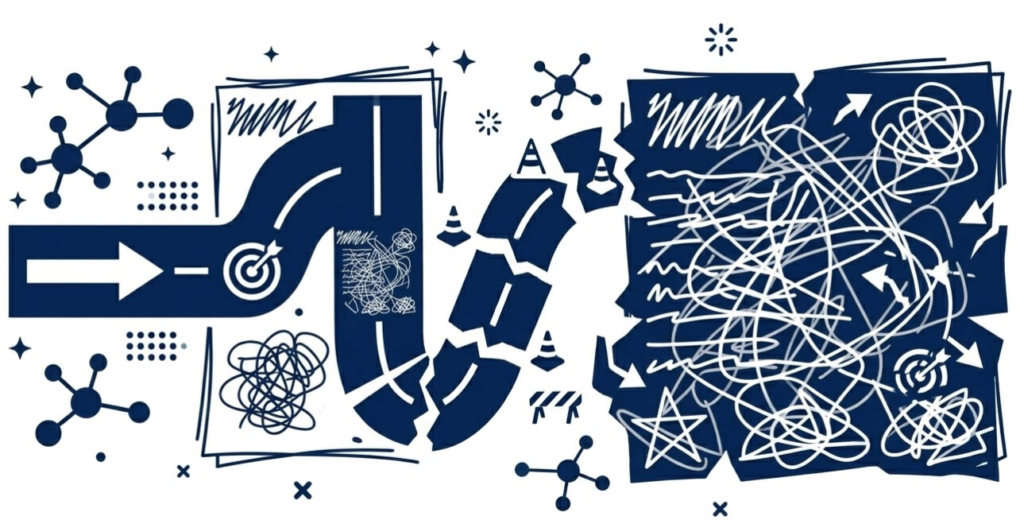
Bad project planning fails in predictable ways.
Too top-level. “Build the website” is not a task. It’s a category containing dozens of tasks, decisions, and dependencies. Top-level plans look complete but collapse immediately when you try to execute them.
No dependencies mapped. Task B can’t start until Task A is done. Task C needs a decision that hasn’t been made yet. When dependencies aren’t mapped, everything stalls at the wrong moment.
Optimistic timelines. Every task gets the best-case estimate. No buffer for delays, feedback cycles, or the unexpected. The plan looks achievable on paper and slips immediately in practice.
No decision points built in. Projects evolve. Assumptions change. A plan with no checkpoints has no way to adapt — it just gets abandoned when reality diverges.
AI doesn’t fix bad planning instincts automatically. But it will surface every one of these problems if you ask it to.
The P.L.A.N. Framework
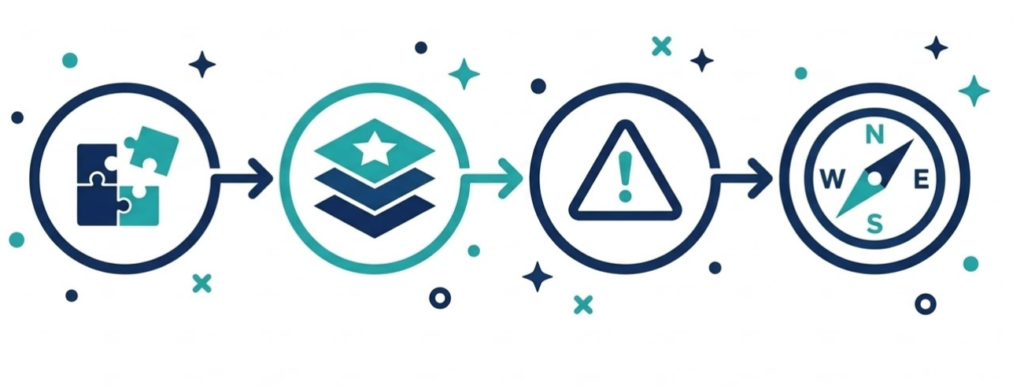
Four stages. One conversation. A plan that actually works.
P — Parse: Break the project into its real components — goals, scope, constraints, and success criteria.
L — Layer: Build the task structure — phases, milestones, dependencies, and ownership.
A — Anticipate: Find what could go wrong before it does — risks, blockers, and decision points.
N — Navigate: Build the timeline — realistic, buffered, and with clear checkpoints.
Let’s run through each stage.
P — Parse: Define What the Project Actually Is
Most people skip this stage entirely. They jump straight to tasks.
That’s the mistake. Until you’ve defined scope, success criteria, and constraints clearly, every task you write down is just guesswork.
Prompt 1: The Project Definition
I want to plan a project. Before we build any tasks or timelines,
help me define it properly.

PROJECT IDEA: [describe your project in plain language]

Ask me 8 clarifying questions that force me to define:
1. What success looks like — specifically and measurably
2. What is in scope and what is explicitly out of scope
3. Who is involved and what each person is responsible for
4. What the hard constraints are (deadline, budget, resources)
5. What decisions need to be made before work can start
6. What I'm assuming that I haven't verified

After I answer, write back a one-paragraph project definition that I can
use as the anchor for everything that follows.
Don’t rush this. The quality of your project definition determines the quality of everything built on top of it. If AI asks a question you can’t answer, that’s a gap you need to fill before planning goes any further.
Prompt 2: The Scope Boundary Setter
Scope creep kills more projects than bad execution. Define the edges early.
Here is my project definition: [paste Prompt 1 output]

Help me set clear scope boundaries by defining:

IN SCOPE (what we will definitely do):
— List the core deliverables this project must produce

OUT OF SCOPE (what we will not do in this project):
— List things that might seem related but are explicitly excluded

OPEN QUESTIONS (scope items not yet decided):
— List anything where the scope boundary is still unclear

For each open question, explain what needs to happen to resolve it
and who should make that call.

Then write a one-sentence scope statement I can use to quickly
check whether any new task belongs in this project or not.
That scope statement is your filter for the rest of the project. Any time someone suggests adding something, run it against the scope statement first.
L — Layer: Build the Task Structure
Now build the plan. But in layers — not as one flat list.
Prompt 3: The Phase Builder
Here is my project definition and scope: [paste Prompts 1 and 2 outputs]

Break this project into phases.

For each phase:
- PHASE NAME: [descriptive label]
- PURPOSE: [what this phase achieves]
- KEY DELIVERABLE: [the tangible output that marks this phase complete]
- ROUGH DURATION: [how long this phase should take]
- WHAT MUST BE TRUE before this phase can start

Aim for 3-5 phases. Not too granular, not too high-level.
Each phase should produce something real and reviewable —
not just "work happening."
Phases give your project rhythm. They create natural review points and make it easy to see where you are at any given moment.
Prompt 4: The Task Breakdown
Run this for each phase separately. One phase at a time produces better output than trying to do everything at once.
Here is Phase [X]: [paste phase description]

Break this phase into specific, executable tasks.

For each task:
- TASK: [specific action, starts with a verb]
- OWNER: [who does this — use names or roles]
- EFFORT: [estimated hours or days]
- DEPENDENCY: [what must be done before this task can start, if anything]
- DONE WHEN: [how you know the task is complete]

Rules:
- No task should take longer than 3 days — break bigger ones down
- Every task must have a clear owner
- Every task must have a clear completion definition
- Flag any task where you're unsure about effort or ownership

Output as a structured list, not a paragraph.
The “done when” field is the most important one. Tasks without completion definitions get done differently by different people — or don’t get done at all.
Prompt 5: The Dependency Mapper
Dependencies are invisible until they block you. Surface them now.
Here are all the tasks across my project phases: [paste all task lists]

Map the dependencies by identifying:

1. HARD DEPENDENCIES — Task B absolutely cannot start until Task A is complete
   (list as: Task A → Task B)

2. SOFT DEPENDENCIES — Task B is easier or better if Task A is done first,
   but can technically proceed without it

3. EXTERNAL DEPENDENCIES — tasks waiting on someone or something outside
   the project team (approvals, third-party deliverables, decisions)

4. CRITICAL PATH — the sequence of dependent tasks that determines the
   minimum time the project can take

Flag any external dependencies as risks — these are the ones most likely
to cause delays you can't control.
The critical path tells you where to focus your attention. Delays on the critical path delay the whole project. Delays on non-critical tasks often don’t matter.
A — Anticipate: Find What Could Break

A plan built only on best-case assumptions will fail at first contact with reality.
Prompt 6: The Risk and Blocker Finder
Here is my full project plan so far: [paste all outputs]

Identify the risks and blockers most likely to derail this project.

For each risk:
- RISK: [what could go wrong]
- LIKELIHOOD: [high / medium / low]
- IMPACT: [high / medium / low]
- EARLY WARNING SIGN: [how I'd know this risk is materializing before it's too late]
- MITIGATION: [what I can do now to reduce the likelihood or impact]

Then identify:
1. The single biggest risk to the timeline
2. The single biggest risk to the quality of the output
3. The decision that, if delayed, will delay everything else

Prioritize ruthlessly. I need to know where to put my attention,
not a comprehensive list of everything that could theoretically go wrong.
Most risk registers are useless because they list everything. This prompt forces prioritization — the three things that matter most.
Now build the timeline. With buffers. Based on real constraints, not wishful thinking.
Prompt 7: The Timeline Builder
Here is my complete project plan: [paste all outputs]

Build a realistic timeline with these inputs:

START DATE: [when work begins]
HARD DEADLINE: [if there is one]
TEAM AVAILABILITY: [e.g. 2 people, 20 hours/week each]
KNOWN CONSTRAINTS: [holidays, other projects, dependencies on external parties]

Build the timeline by:
1. Scheduling phases in sequence based on dependencies
2. Assigning realistic durations based on effort estimates
3. Adding buffer time — minimum 20% on each phase
4. Marking key milestones (reviewable deliverables, decision points)
5. Flagging any point where the timeline looks compressed or risky

Output as:
- A week-by-week overview (Phase X: Week 1-3, Phase Y: Week 4-6, etc.)
- A list of milestone dates
- A projected completion date with a realistic range (best case / most likely / worst case)

If the timeline doesn't fit the deadline, tell me what would need to change —
scope, resources, or the deadline itself.
That last instruction is crucial. If the math doesn’t work, you need to know now — not three weeks in when it’s too late to adjust.
Keeping the Plan Alive
A plan written once and never updated is just documentation of your original intentions.
Use AI throughout execution:
Weekly check-in:
Here's my project status this week:
Completed: [list]
In progress: [list]
Blocked: [list]

Based on the original plan, am I on track?
What should I prioritize this week and what risks should I watch?
Mid-project review:
We're halfway through the project. Here's actual progress vs. plan: [paste comparison]

What's the updated completion forecast?
What do I need to change in the second half based on what I've learned in the first?
Running these prompts takes five minutes. Skipping them is how projects quietly fall months behind without anyone noticing until it’s too late.
The Bottom Line
The difference between a project that ships and one that stalls is almost never the idea.
It’s the planning depth.
Vague plans produce vague results. Plans with clear scope, layered tasks, mapped dependencies, identified risks, and realistic timelines actually get done.
Seven prompts. One conversation. A project plan that holds up in the real world.
That’s what the P.L.A.N. framework delivers.